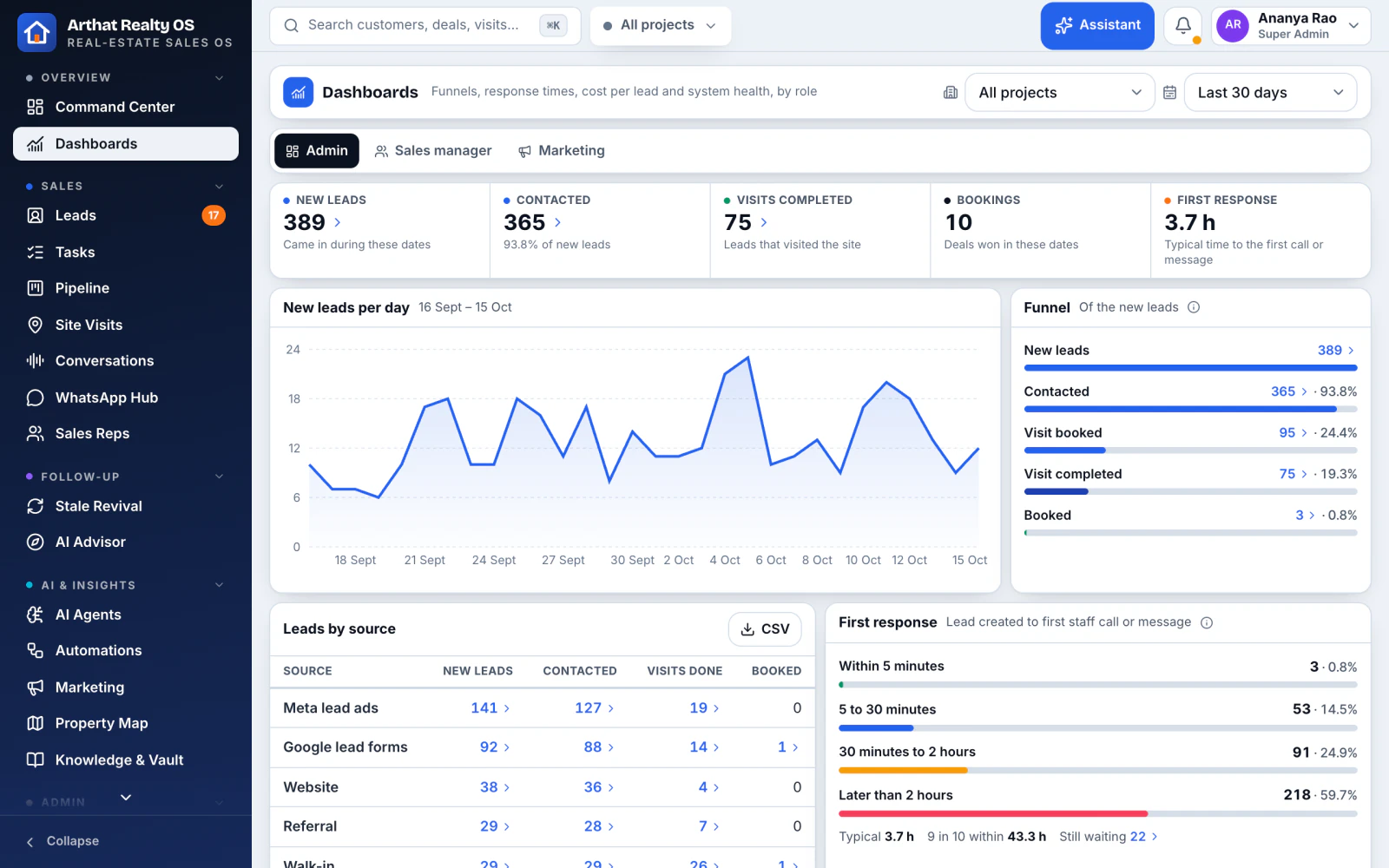
Leads, site visits, calls, WhatsApp and bookings in one place, with AI answering, scoring, routing and following up. We build in the rest for your team, from running your ads to preparing the paperwork.
"Try it yourself" signs you in to a live demo with a fictional developer's projects. Nothing to install.
AI replied on WhatsAppNew Meta lead · 38 s after the enquiry
Site visit booked by AISat 18 Oct, 11:00 · Skyline show flat
78Hot lead, routed to DivyaSpeaks Malayalam · plot specialist
Budget moved to Google SearchVisits from search cost less this week
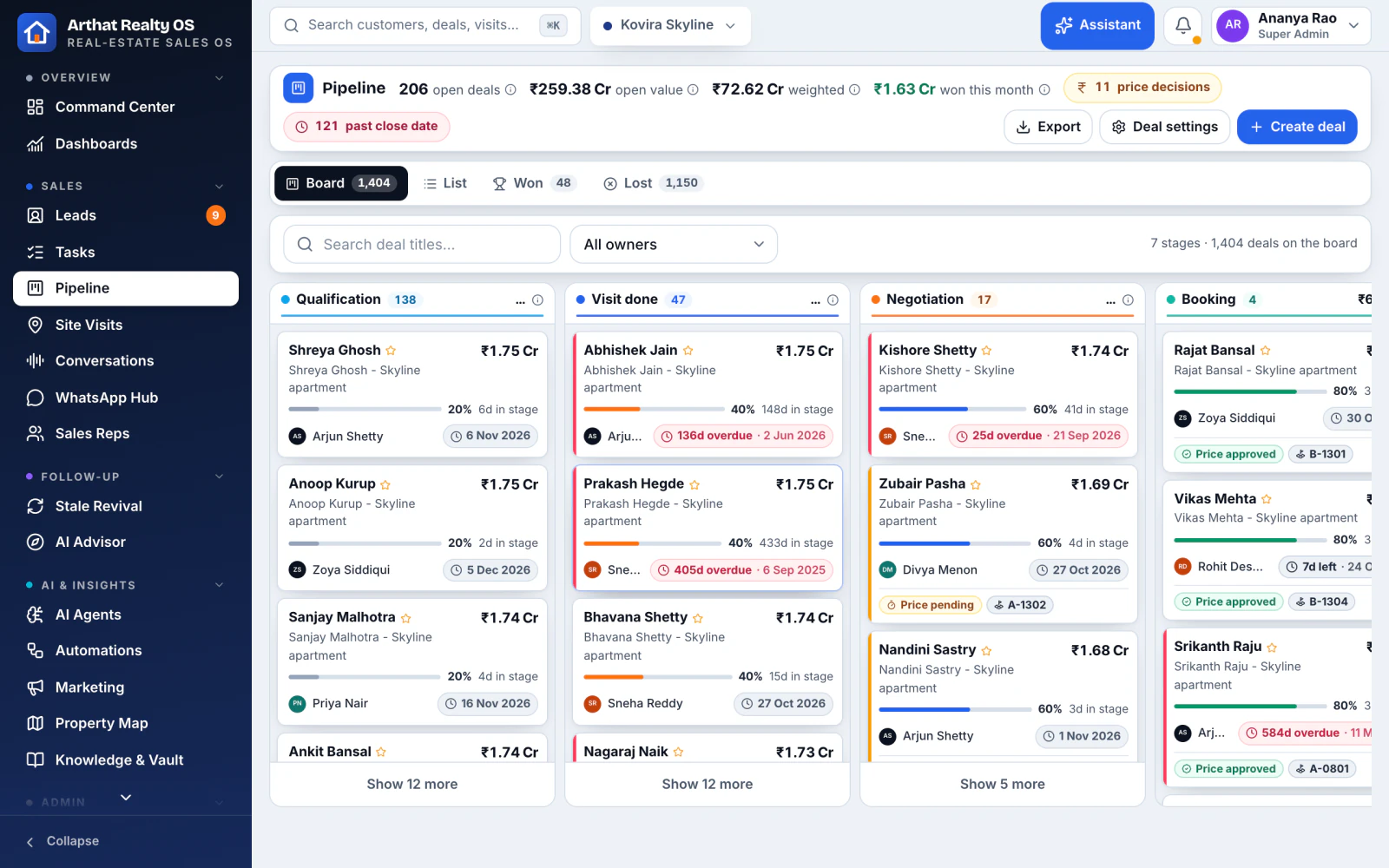
A real Realty OS screen with fictional demo data. The cards show AI work from the pipeline below.
Built on a real sales floorStarted as the CRM for a Bengaluru developer
Your own deploymentYour database, never shared with another company
Tablet-firstSales floor, site office and phone, in the browser
AI asks before it actsChanges wait for a person's yes
Why Realty OS
Where real-estate sales quietly leak
Buyers rarely say no outright. They slip away between the ad, the first call and the site visit.
TodayWith Realty OS
Today: Enquiries wait hours for a call back, and the buyer has already called another developer.
With Realty OS: AI replies on the buyer's own channel straight away, day or night.
Today: Leads sit in portals, spreadsheets and personal phones. Two reps call the same buyer.
With Realty OS: Every enquiry lands in one list, duplicates merged, owner assigned.
Today: Follow-ups depend on someone remembering. Warm leads go cold in a week.
With Realty OS: Follow-up journeys run on their own and stop the moment the buyer replies.
Today: Ad money goes to clicks and form fills, not to people who visit the site.
With Realty OS: We can build AI that moves spend to the campaigns that bring site visits, within your limits.
Today: Booked visits turn into no-shows, and outcomes never reach the CRM.
With Realty OS: Reminders, directions and outcomes, captured on a tablet at the site.
The AI pipeline
From the first ad to the signed booking, AI does the work
Six stages, each with AI doing the repetitive work and your team stepping in where a person matters.
In Realty OS works in the product today
Built for you we build and switch it on during your setup
01Attract
Campaigns that bring buyers, not just clicks
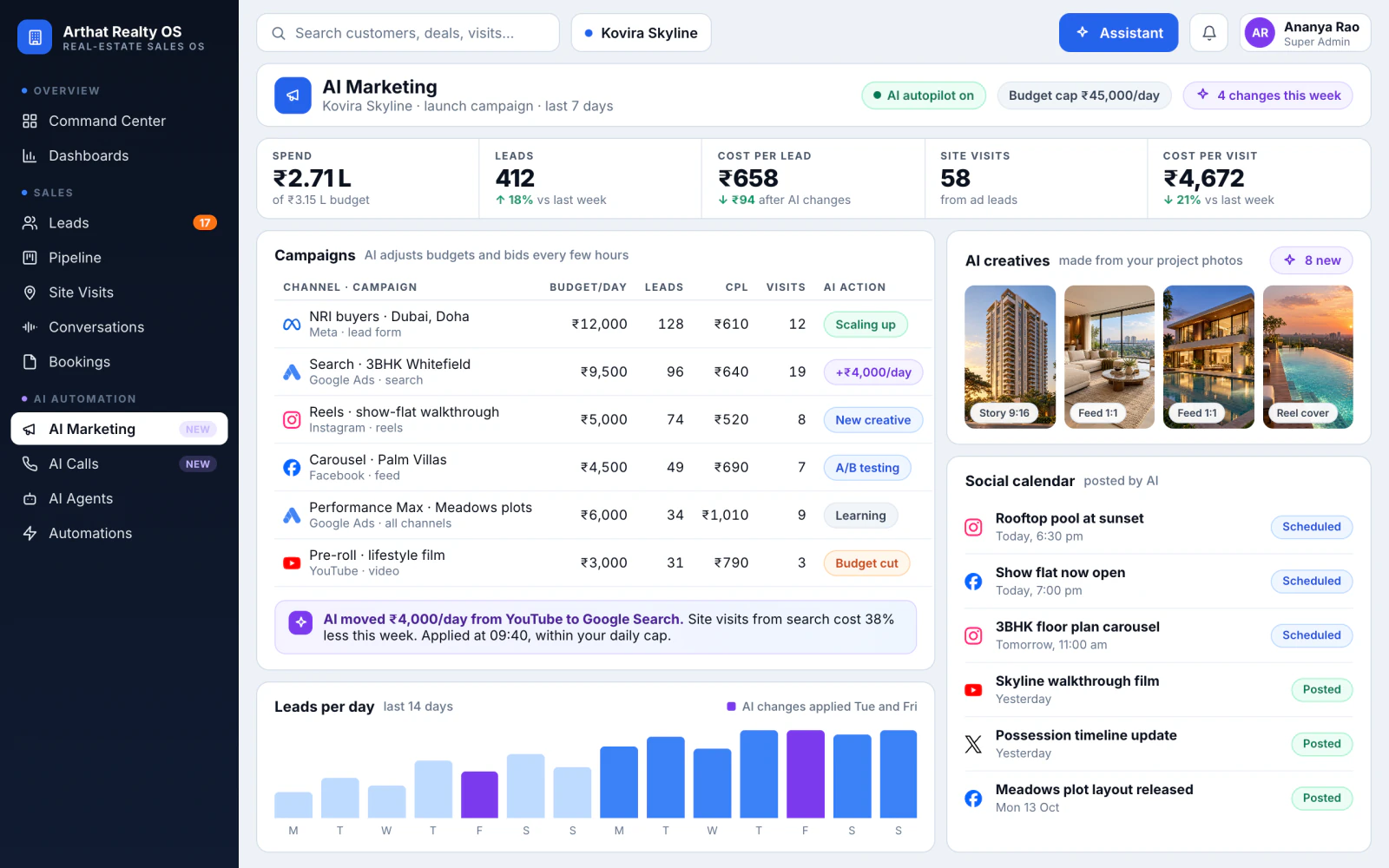
We build an AI marketing studio for your team. It runs your Meta and Google campaigns, makes creatives from your project photos, posts on every channel and moves budget to whatever brings site visits, all inside the limits you set.
Runs Facebook, Instagram and Google Ads campaignsBuilt for you
Makes ad images, videos and brochures for each projectBuilt for you
Posts to Instagram, Facebook, YouTube, X and Threads on a scheduleBuilt for you
Moves budget to the campaigns that bring site visitsBuilt for you
Ad spend, cost per lead and return for every campaignIn Realty OS
Facebook
Instagram
Google Ads
YouTube
Threads
Moved ₹4,000/day from YouTube to Google SearchSite visits from search cost 38% less this week
Illustration with demo data
02Capture
Every enquiry caught, and answered straight away
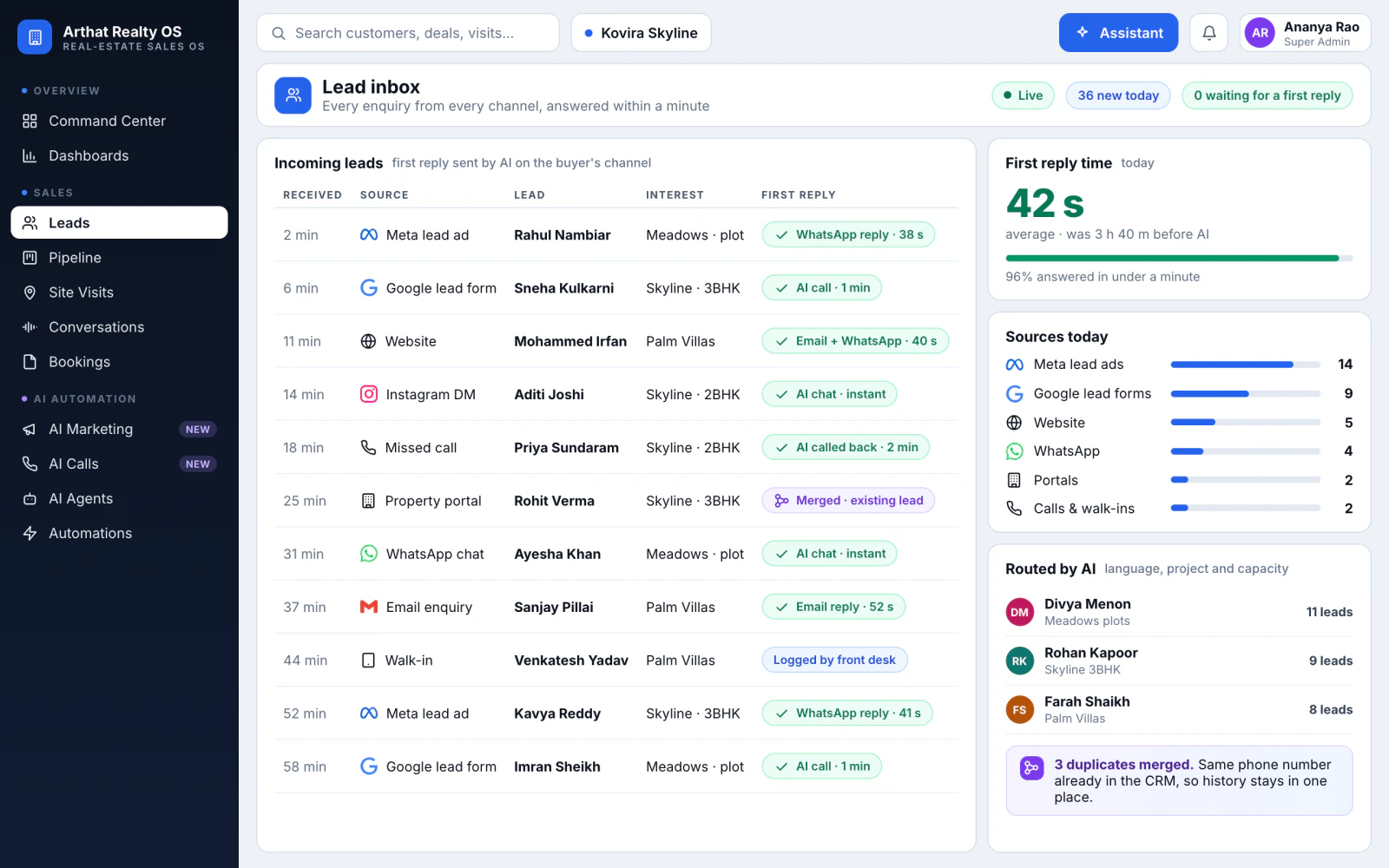
Ads, website forms, portals, missed calls, WhatsApp and walk-ins land in one inbox. AI sends the first reply on the buyer's own channel and merges duplicates before two reps call the same person.
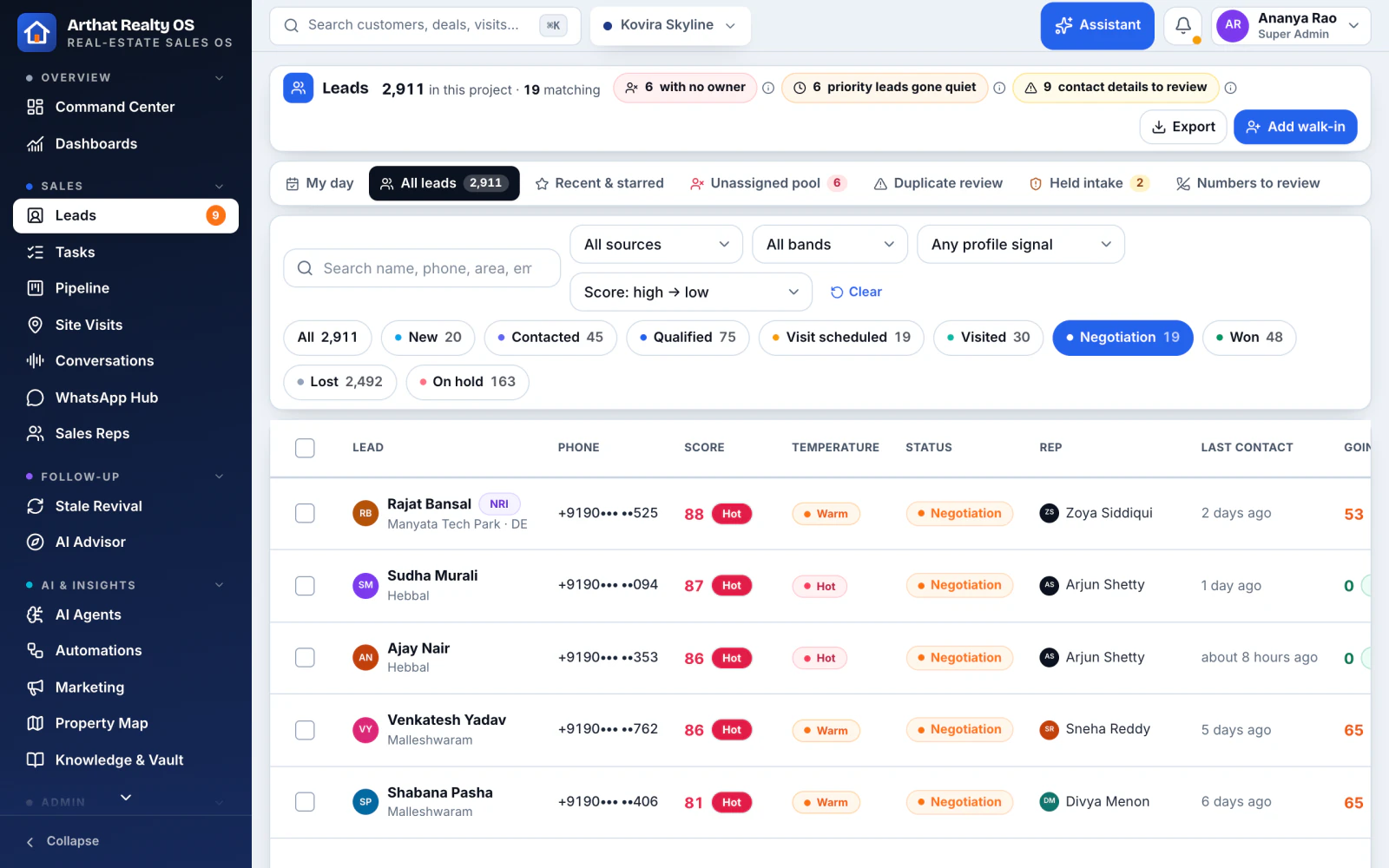
Enquiries from ads, website, portals, calls and walk-ins in one listIn Realty OS
Duplicates caught and merged into the buyer's historyIn Realty OS
Existing leads imported from Excel or Sheets, with consent detailsIn Realty OS
First reply on WhatsApp, with hand-over to a repIn Realty OS
AI call-back for every missed callBuilt for you
Meta lead ads
Google lead forms
WhatsApp
Sheets
Rahul Nambiar · Meta lead adAI replied on WhatsApp in 38 s
Illustration with demo data
03Qualify
Know who's serious, and send them to the right rep
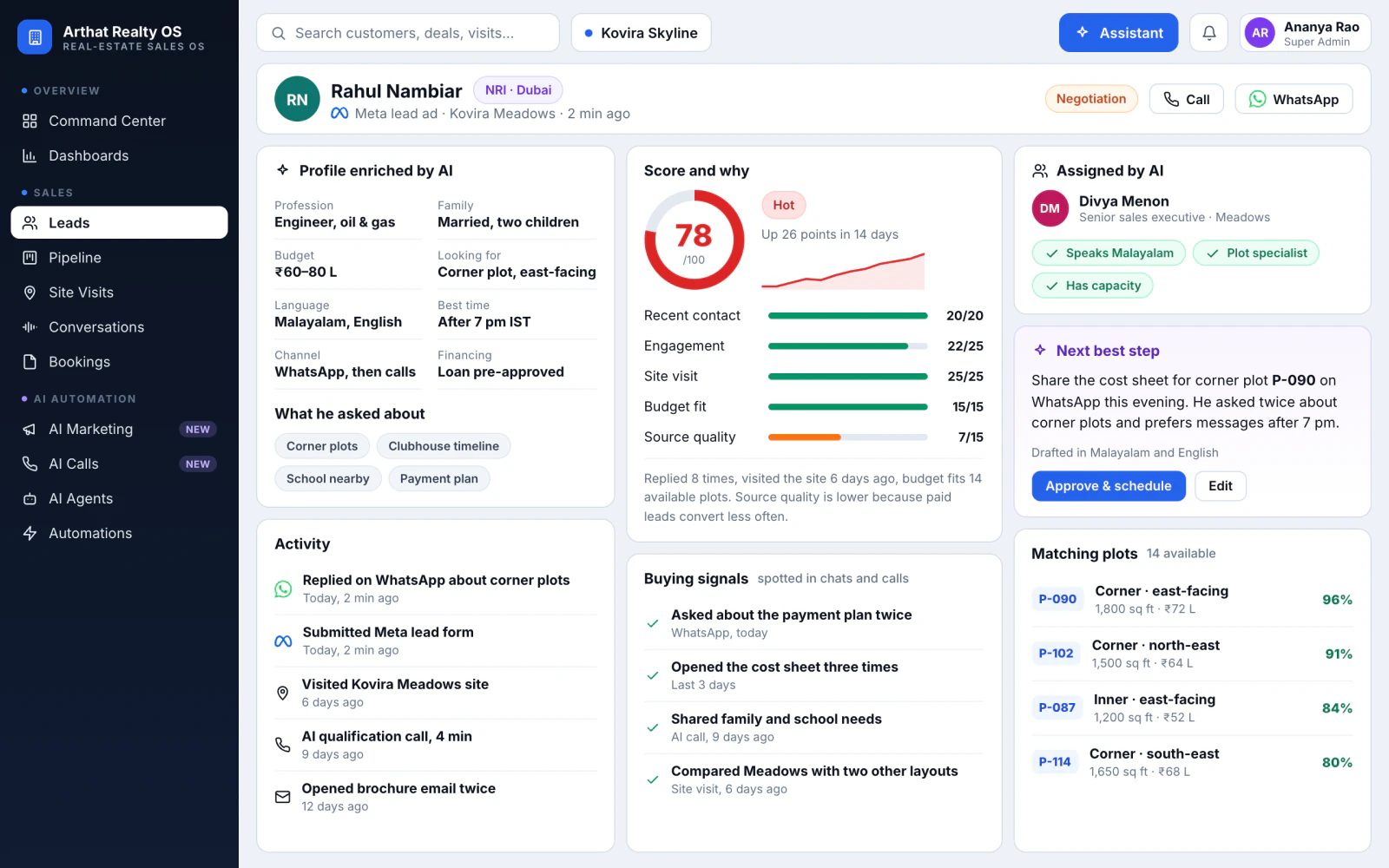
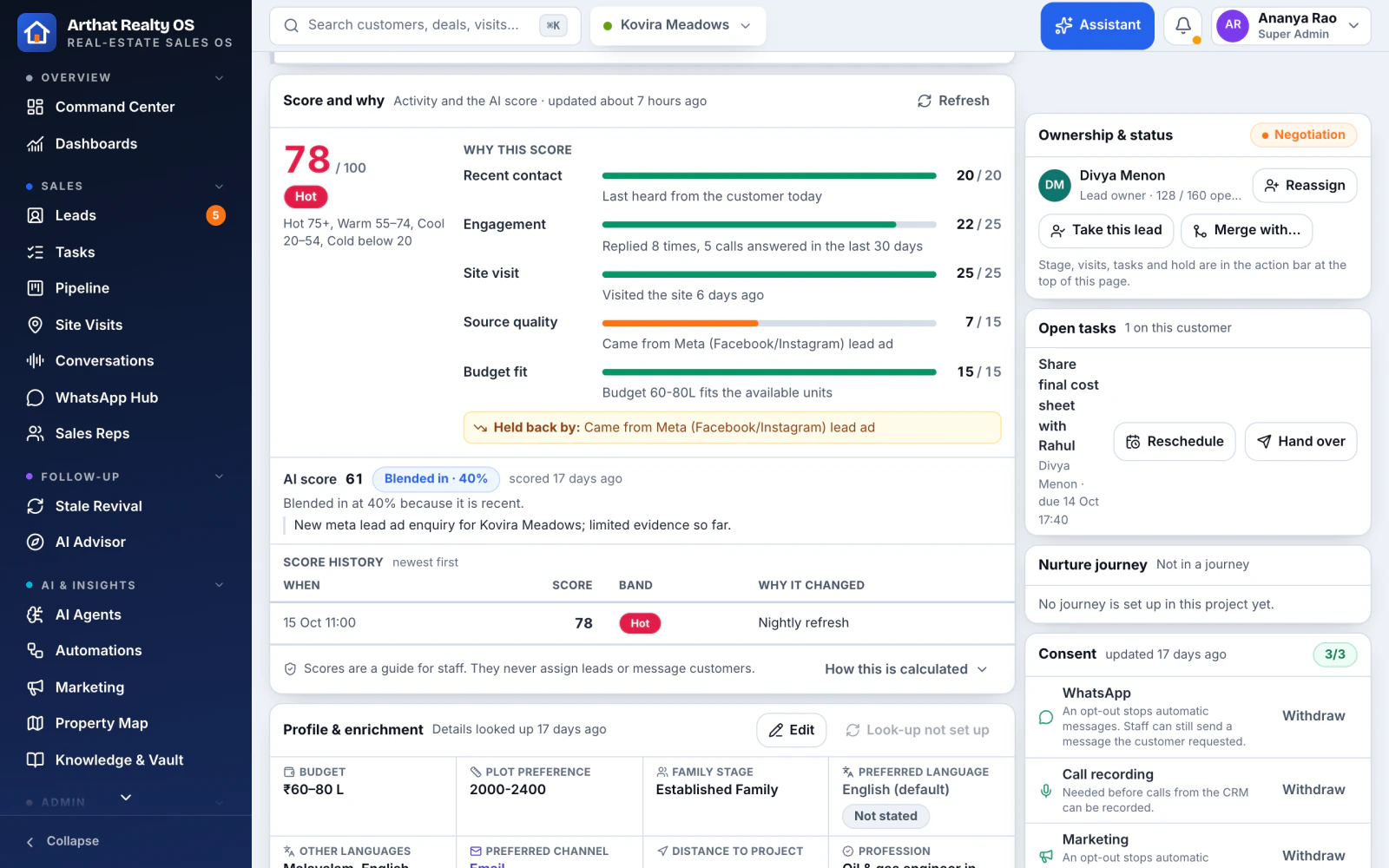
AI builds each buyer's profile from forms, calls and chats, scores every lead with the reasons in plain words, assigns it to the best-fit rep and suggests what to do next.
Profiles enriched with profession, family stage, budget and locationIn Realty OS
A score for every lead, with plain-language reasonsIn Realty OS
Assigned by project, language and rep performanceIn Realty OS
Remembers budget, unit type, language and preferred channelIn Realty OS
The next best step for each buyer, ready to approveIn Realty OS
78Hot · assigned to Divya MenonReplied 8 times, visited 6 days ago, budget fits
Illustration with demo data
04Engage
Conversations that never go cold
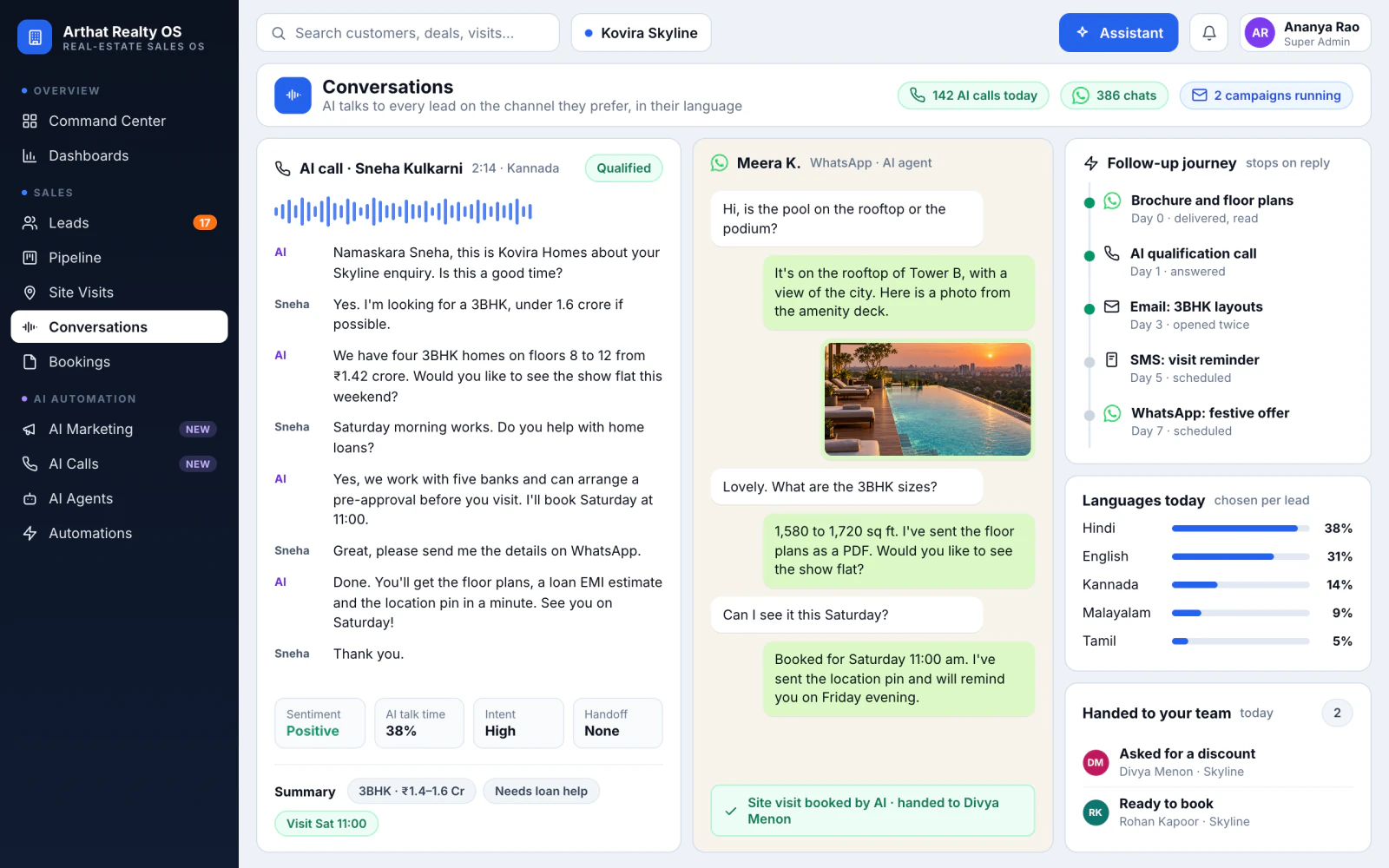
AI replies on WhatsApp and email and runs follow-up journeys that stop the moment a buyer replies, handing over when a person should take it. We can add an AI voice caller and SMS and email campaigns in the buyer's language.
AI voice calls that qualify new leads and call back enquiriesBuilt for you
WhatsApp replies and follow-ups, handing over to a repIn Realty OS
SMS and email campaigns for each buyer groupBuilt for you
Call transcripts and summaries in English, Kannada and HindiIn Realty OS
Calls
WhatsApp
SMS
Email
AI call · 2 min 14 s · KannadaQualified · 3BHK · visit booked Sat 11:00
Illustration with demo data
05Visit
Site visits booked, reminded and followed up
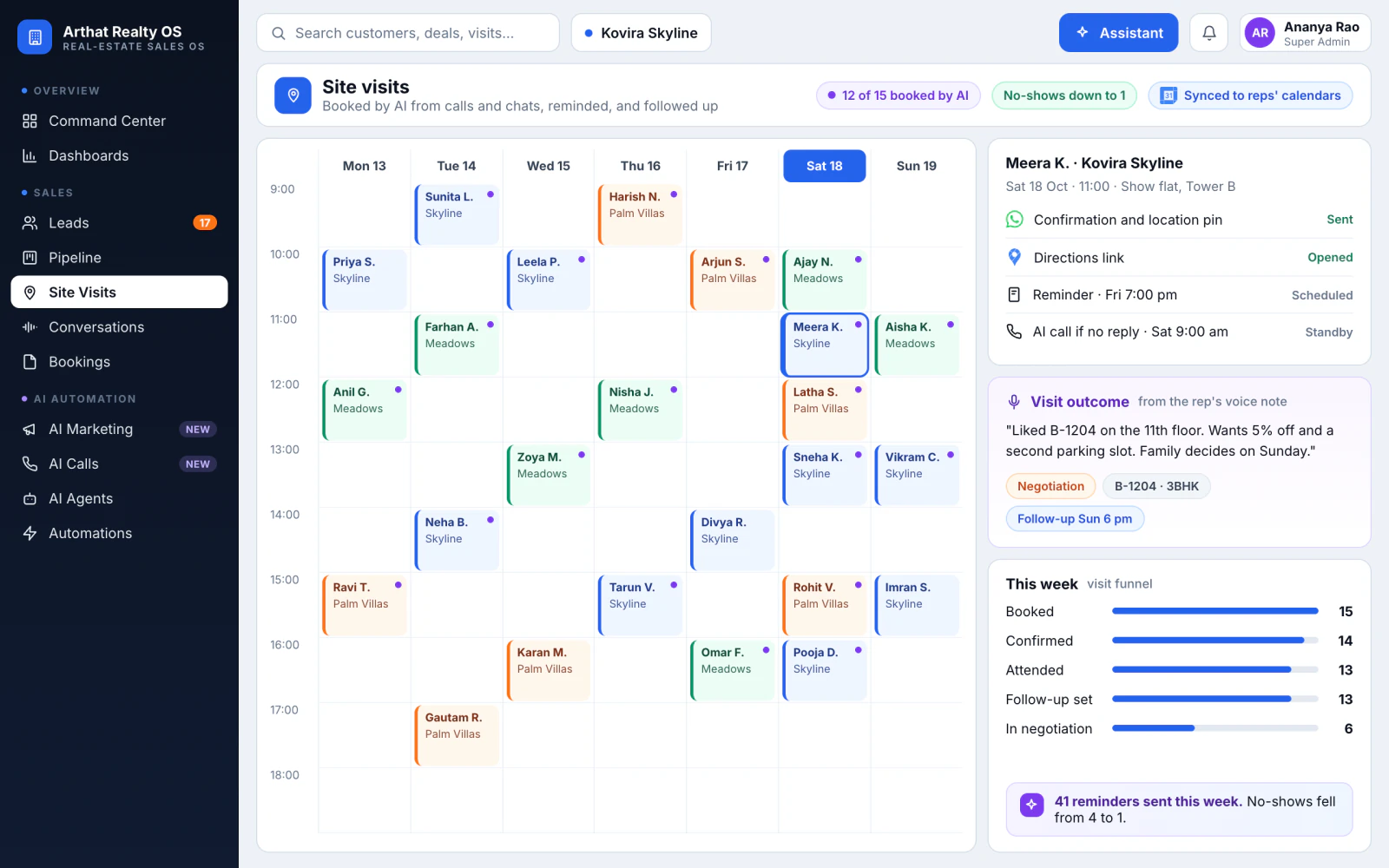
Buyers book from a self-booking link or with a rep, get reminders, and check in at the site. After the visit, the outcome and the next step are on the lead. We can add AI that books the visit during the call or chat.
Books site visits and meetings during the call or chatBuilt for you
A public self-booking link with live slot availabilityIn Realty OS
Reminders before every visit, outcomes afterIn Realty OS
Every rep's calendar synced with Google CalendarIn Realty OS
Check-in and outcome captured on a tablet at the siteIn Realty OS
Google Calendar
Google Maps
WhatsApp
Booked by AI · Sat 18 Oct, 11:00Location sent · reminder Fri 7 pm
Illustration with demo data
06Close
Bookings without the paperwork chase
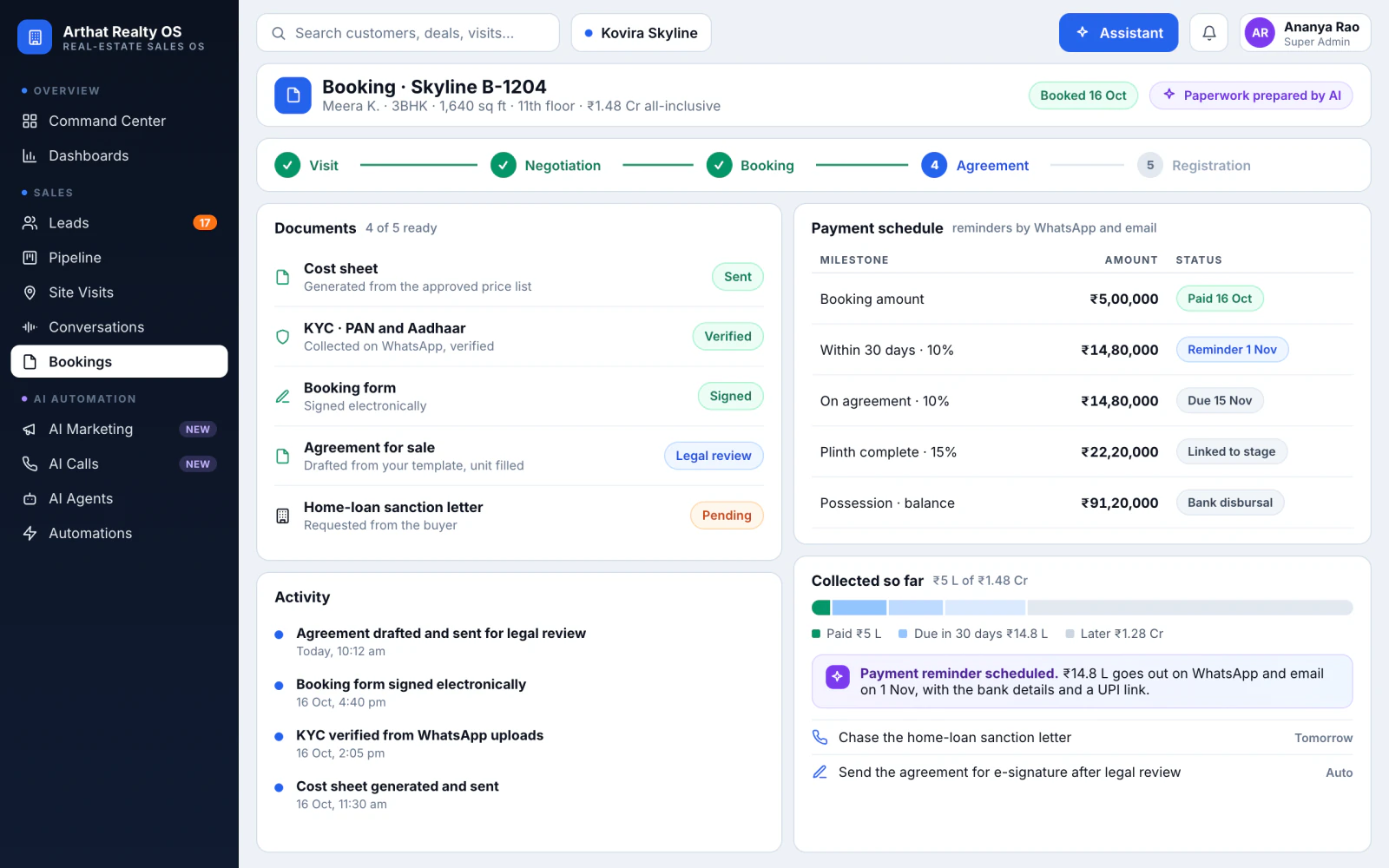
Inventory, holds and price approvals run in Realty OS today. On top, we build the post-sales work: cost sheets and agreement drafts from your templates, KYC collection, and payment reminders until handover.
Cost sheets, booking forms and agreements, drafted for reviewBuilt for you
KYC documents collected on WhatsAppBuilt for you
Payment and document reminders until handoverBuilt for you
Inventory status from first hold to bookingIn Realty OS
Holds and price changes go through approvalsIn Realty OS
Agreement drafted from your templateSent to legal for review · 4 of 5 documents ready
Illustration with demo data
The platform
One system for the whole sales and marketing team
Under the AI sits everything your team uses every day. Tap an area to see the real screens.
One place for buyers, units, visits and deals, built around how real estate sells in India: site visits, price approvals, NRI buyers and several projects at once.
01 / 06Customer 360
One profile for every buyer In Realty OS
Stage, owner, score, consent, calls, WhatsApp, visits, deals and notes in one place, with an AI summary of what the buyer still worries about.
Key facts the AI keeps from calls and chats
"Enquired before" shows a buyer who came earlier, even for another project
Voice notes and notes on the same timeline
02 / 06Pipeline and approvals
Deals that move, with prices under control In Realty OS
Stages set per project, holds and reservations, booking and close-won. Discounts go through price approvals with policy limits.
Request, approve or reject a price, with the reason recorded
A reason for every lost deal
Holds that expire on their own
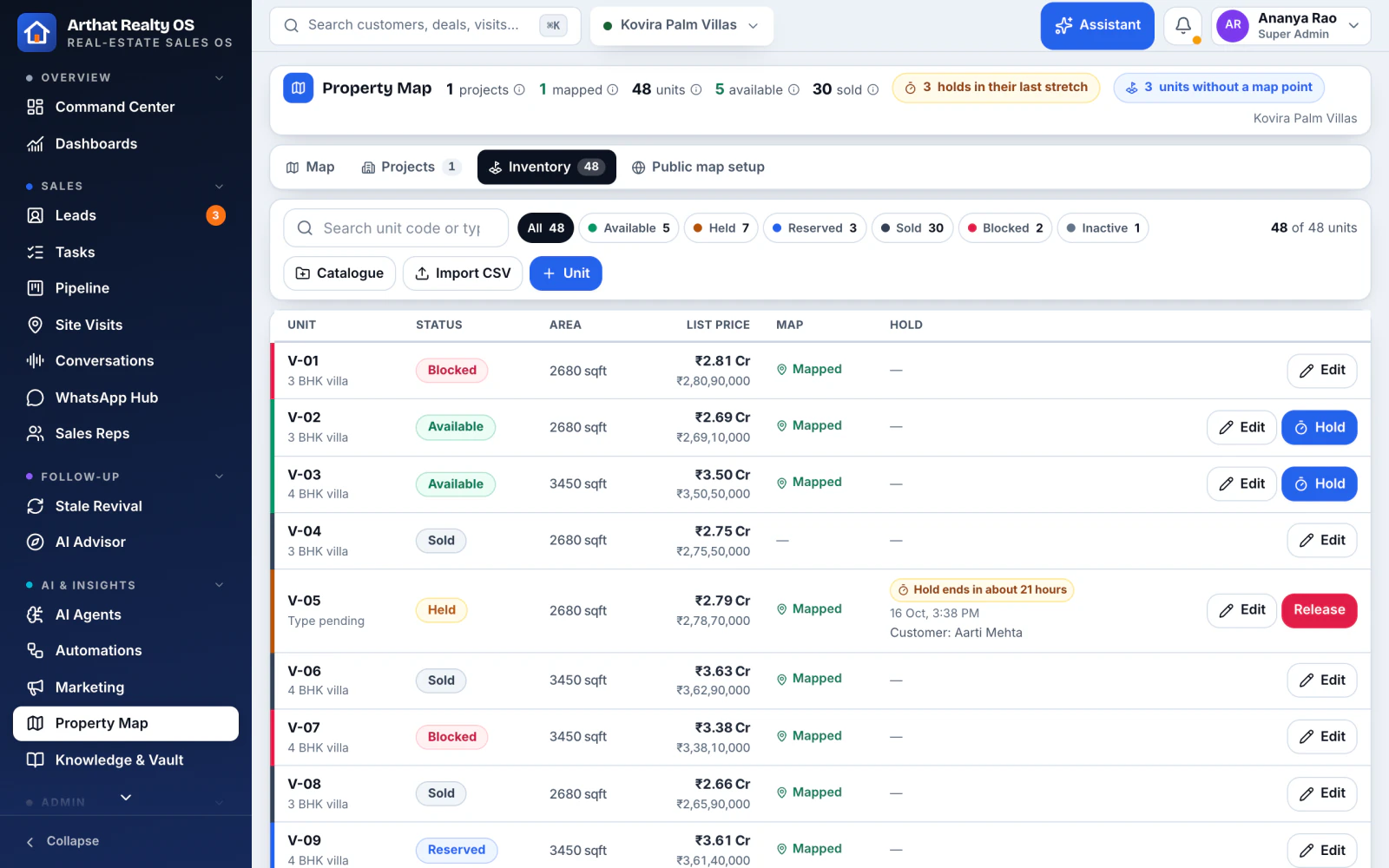
03 / 06Inventory
Inventory your whole team can trust In Realty OS
Towers, villas and plots with live unit status, from available to held, reserved, sold or blocked.
Expiring holds flagged before they lapse
Price sheets per project
Old leads brought back into a new launch
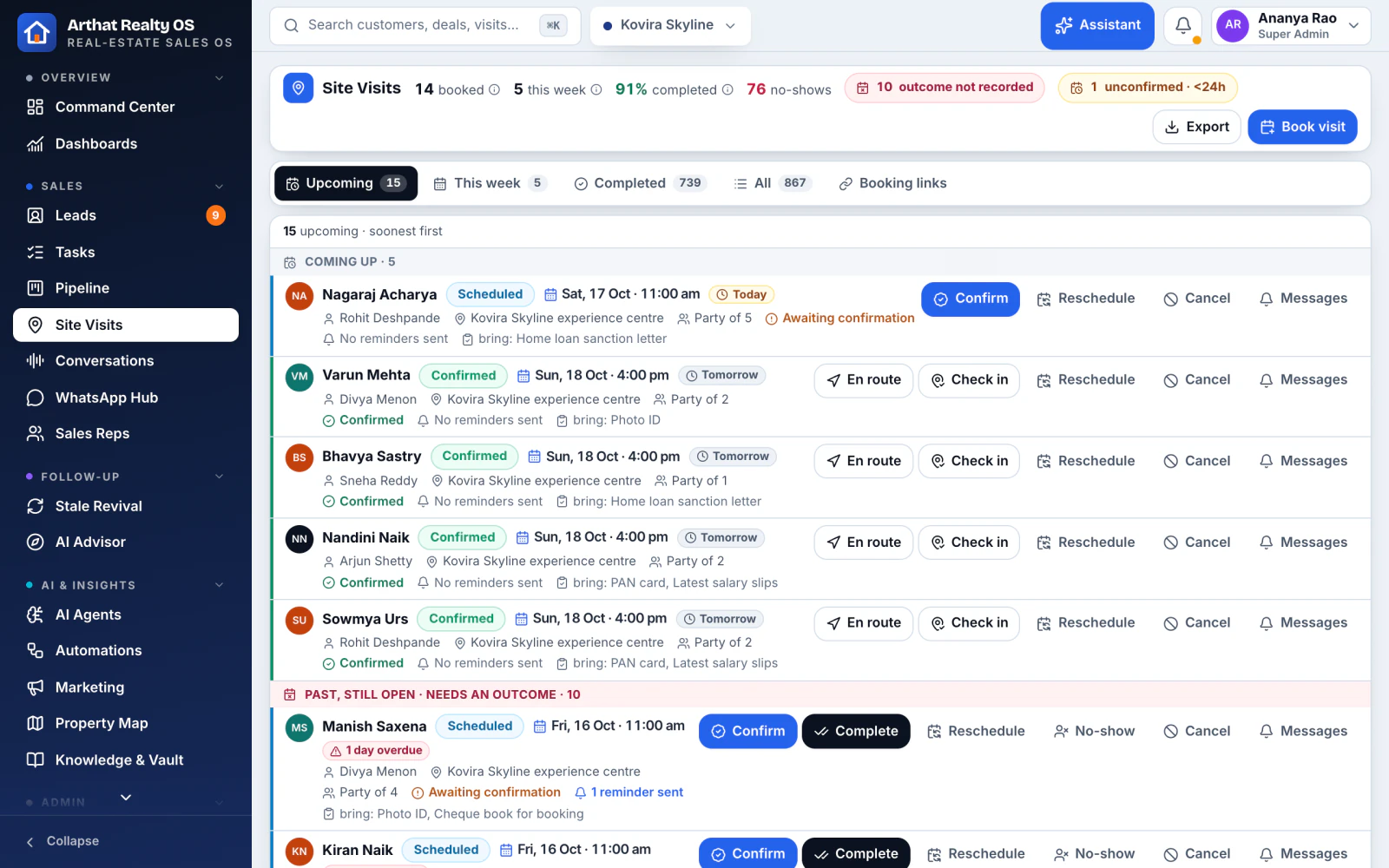
04 / 06Site visits
Site visits, from booking to review In Realty OS
Slots with live availability, a public self-booking link for buyers, reminders, check-in at the site and the outcome on the lead.
Reviews after the visit: low ratings stay private, happy buyers are asked for a Google review
Check-in on a tablet at the site office
Every visit on the rep's calendar
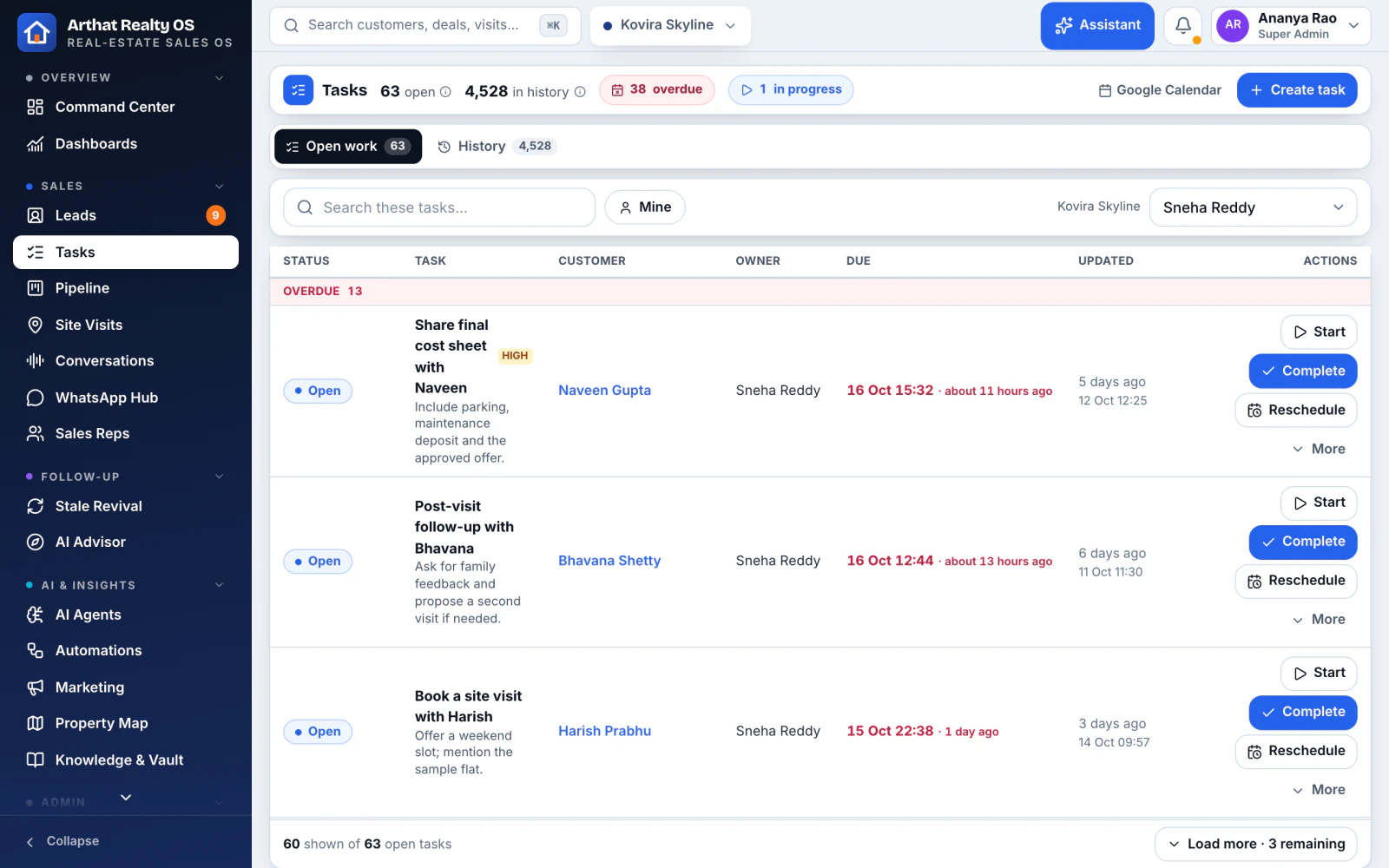
05 / 06Follow-ups and tasks
No call ends without a next step In Realty OS
After every call the rep sets the next follow-up or marks the buyer not reachable. Each person gets a daily task email.
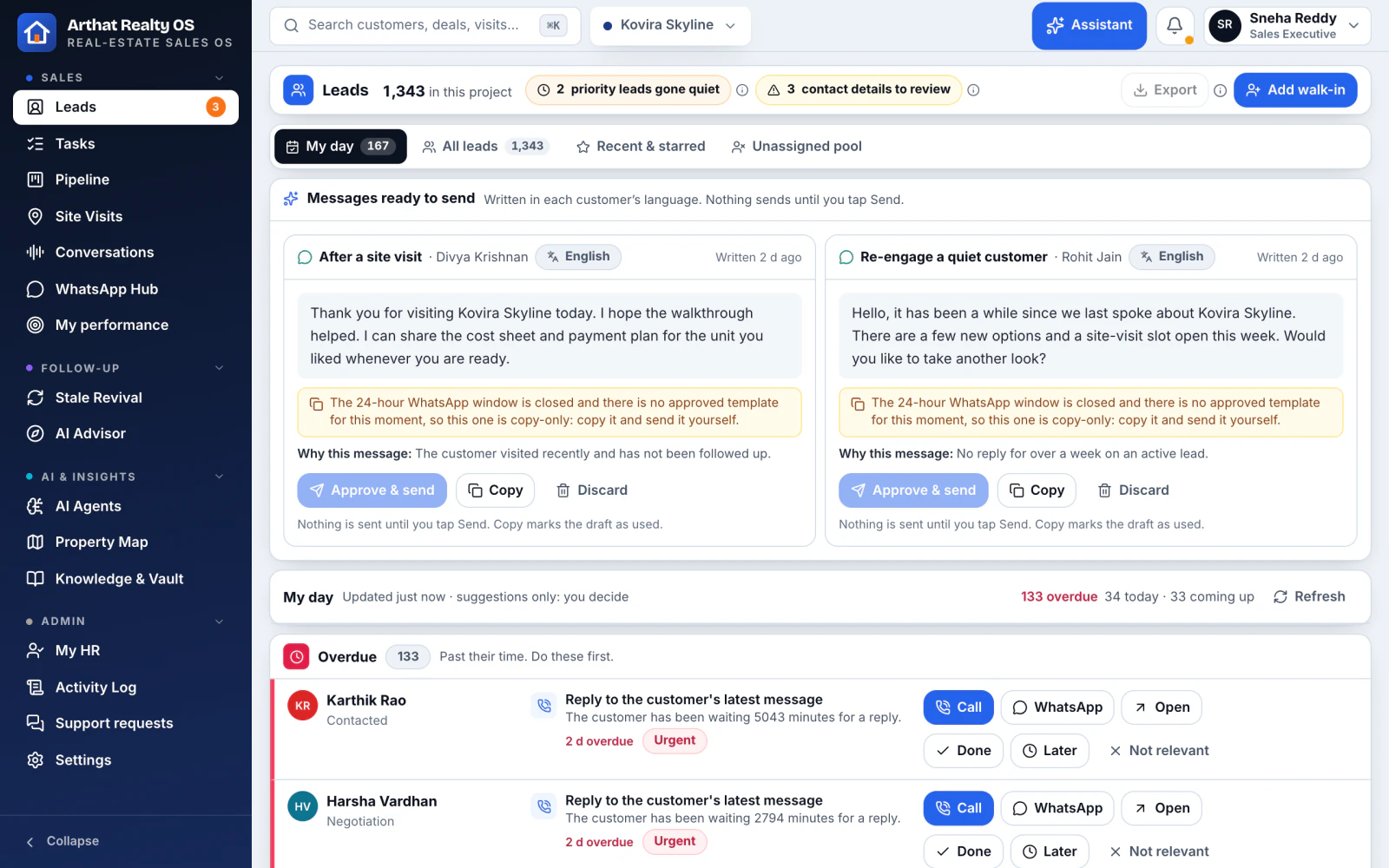
Today, overdue and upcoming tasks, synced with Google Workspace
A booking task chain (agreement, registration, home loan) created after every booking
"My day" ranks who to call and why
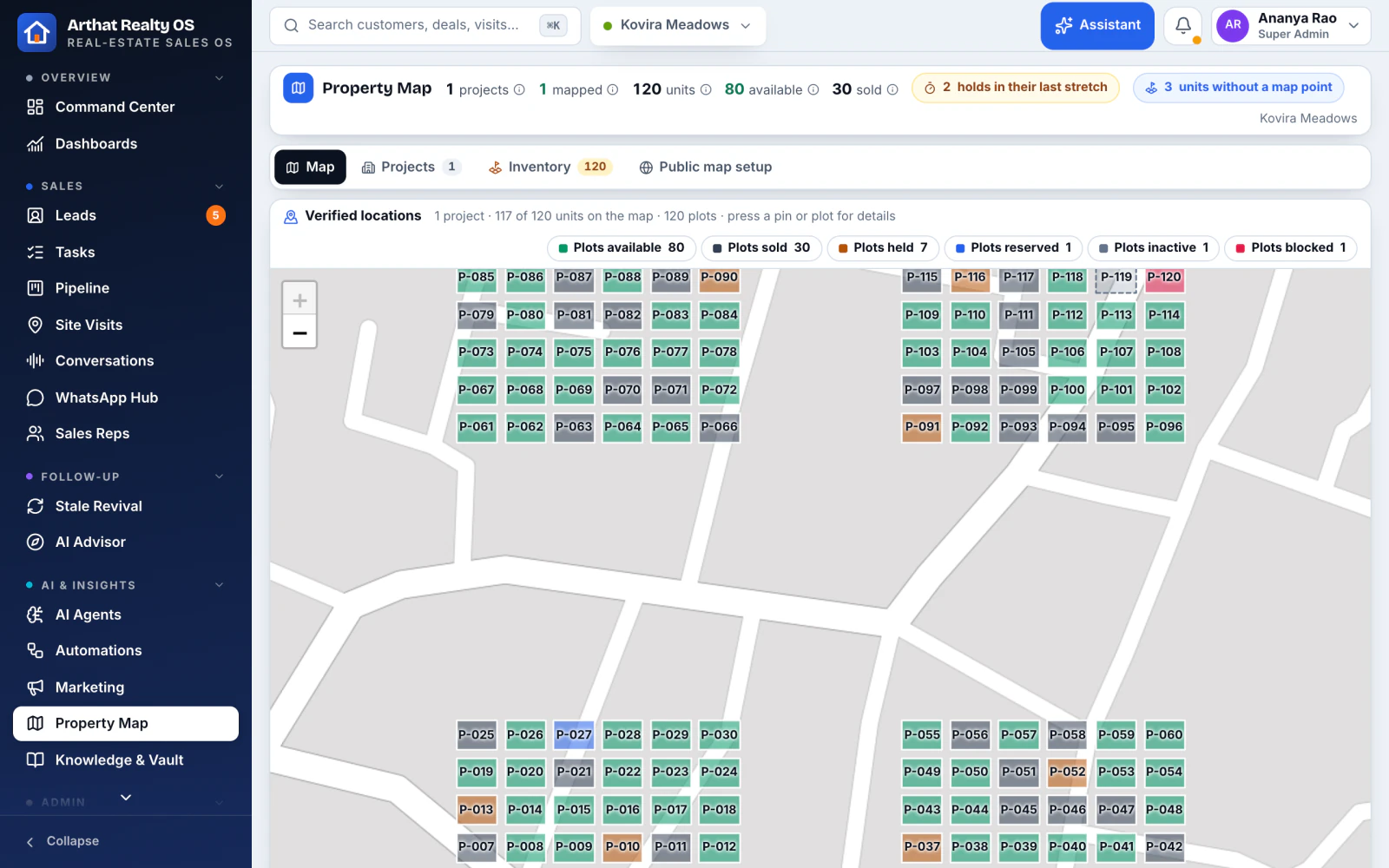
06 / 06Property map
Your layouts, live on a map In Realty OS
Plot and unit layouts on a map with live status, nearby places and a public enquiry button for buyers.
Colour-coded status for every plot or unit
Shareable public map for buyers
Linked to what is still available
Calls and WhatsApp
Every conversation on the buyer's record
Calls, WhatsApp and email are built in, not bolted on. Everything said lands on the lead, in the language it was said.
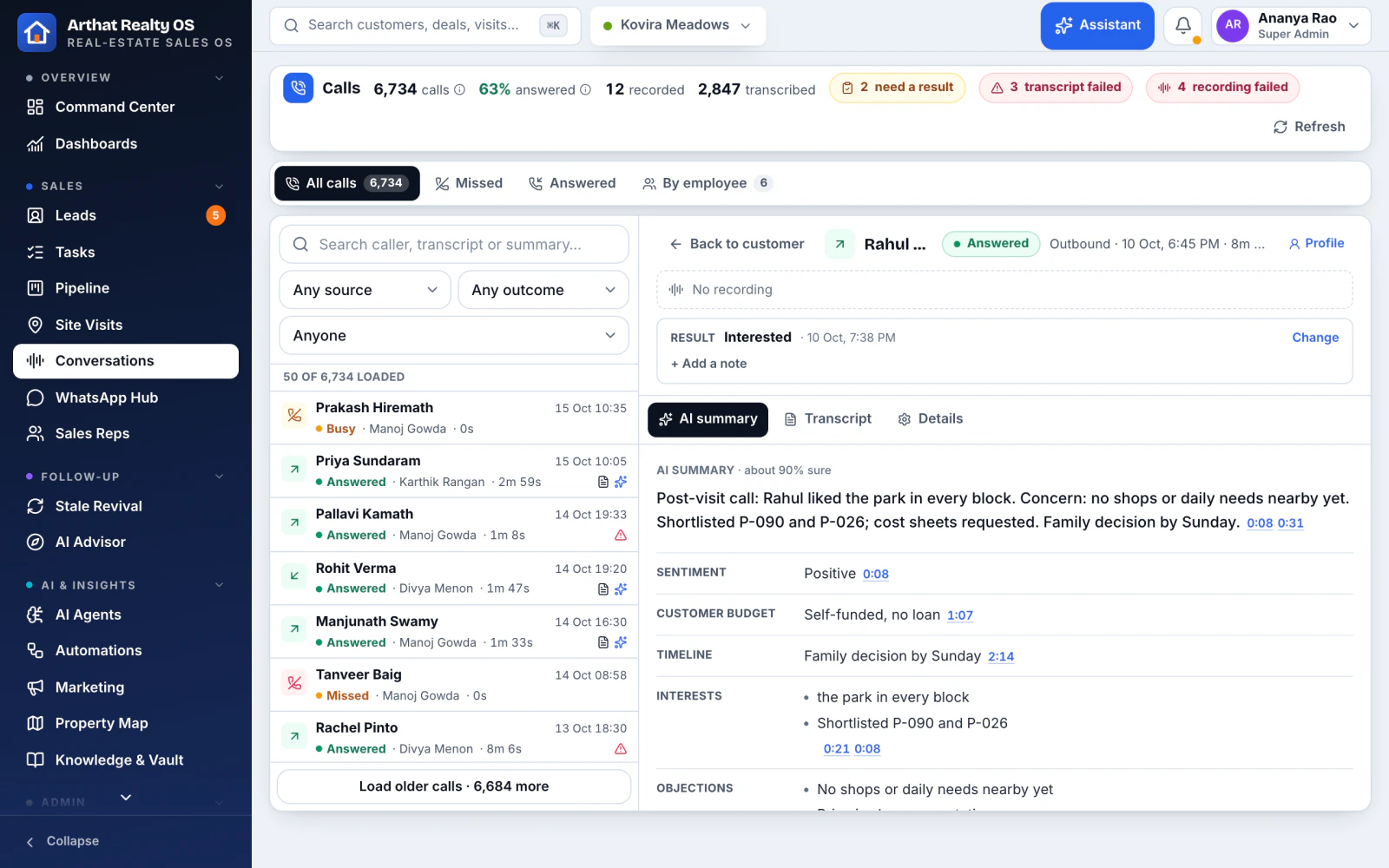
01 / 02Calls
Calls that write their own notes In Realty OS
Click to call through your telephony provider. The recording, a speaker-labelled transcript and an AI summary land on the lead.
Transcripts in English, Hindi, Kannada and mixed speech, with translation
Summaries point to the moment in the call they came from
A pre-call brief before the rep dials
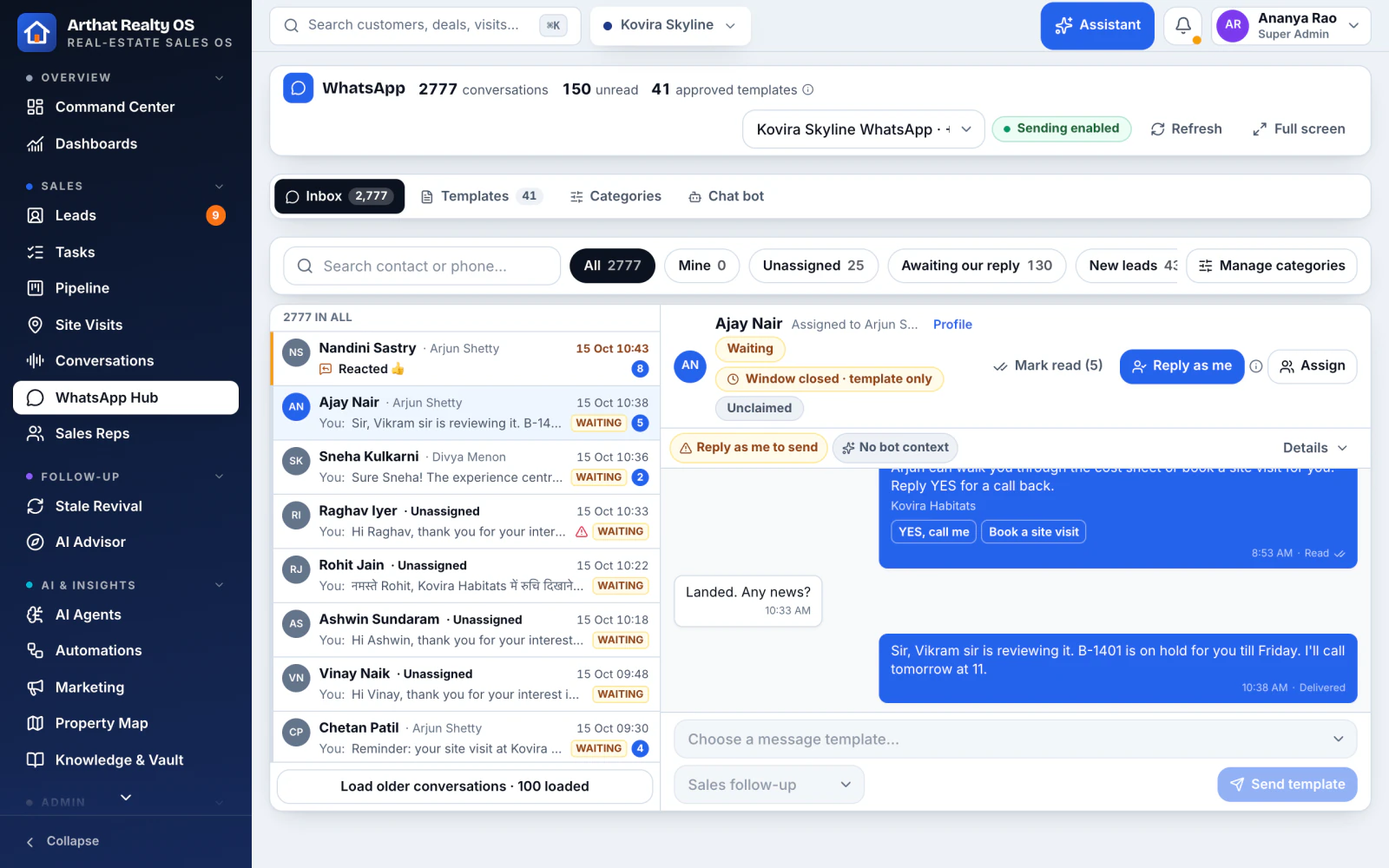
02 / 02WhatsApp
WhatsApp, done properly In Realty OS
The official WhatsApp Business (Meta Cloud) API with a shared inbox per project, approved templates and brochures, and a bot that hands over to a person.
The 24-hour service window handled for you
STOP and opt-outs respected everywhere
First-reply and follow-up email, and inbound email triage
AI that does the work
AI that works inside your CRM, not beside it
The assistant and AI agents act on real data, under each person's permissions. Anything that would change data is shown as a plan to confirm first.
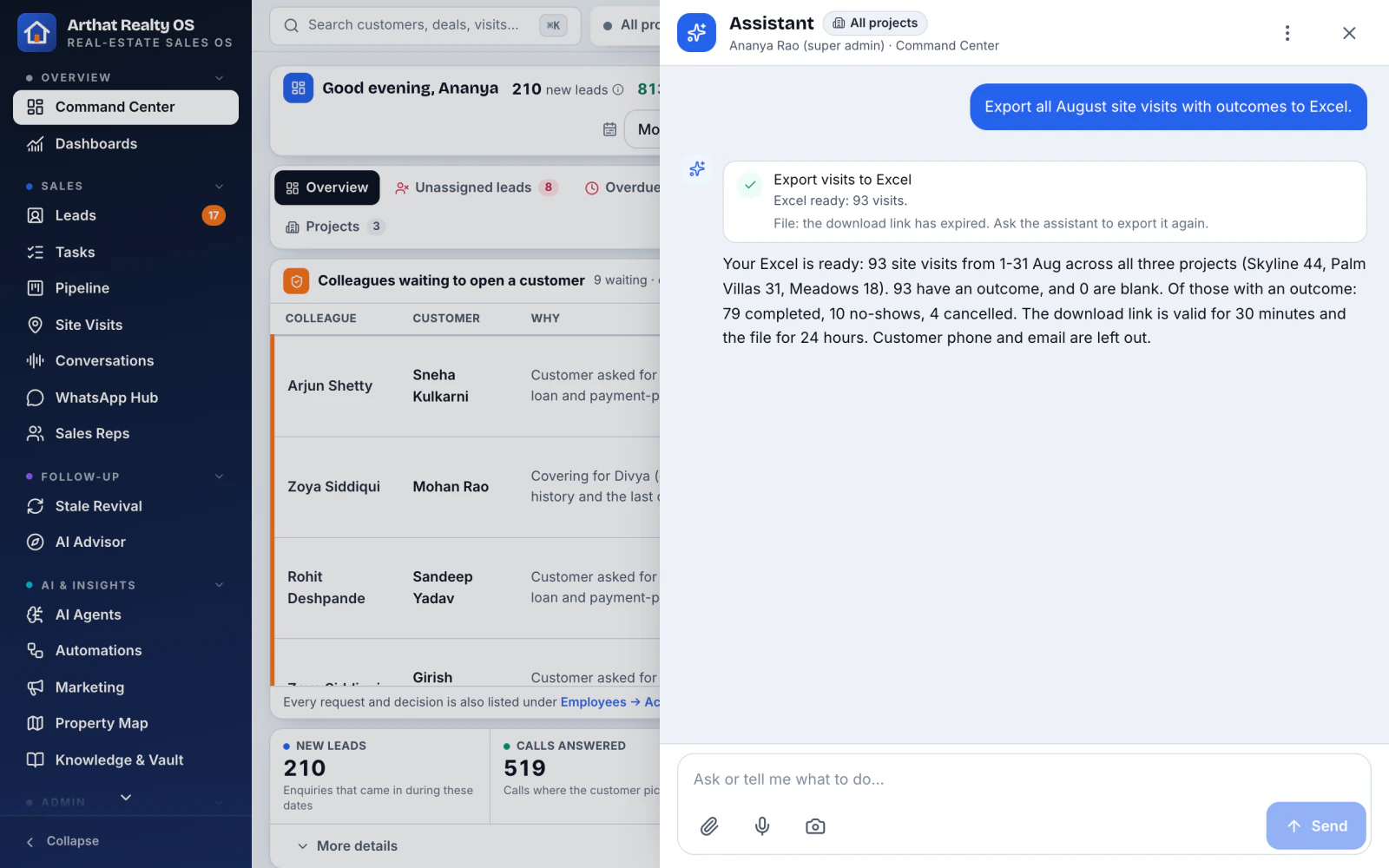
01 / 06Assistant
An assistant that asks before it acts In Realty OS
Ask in English, Hindi, Kannada or Telugu. Daily briefings, lead intake from a photo or a list, bulk changes, inventory facts, Excel exports and scheduled reports.
Admin actions always come as a plan you confirm
Runs on OpenAI or Claude
Budgets and cost caps per AI feature
02 / 06Lead scoring
A score you can explain In Realty OS
Every lead is scored with plain-language reasons and banded hot, warm or cold, with a warning when a good lead is about to go cold.
Reasons, not a black box
Cold-risk warnings
Key facts kept from every call and chat
03 / 06My day
Each rep knows who to call next In Realty OS
A ranked list of today's calls, visits and follow-ups for every rep, with the reason each one is on the list.
Next best action per buyer
Overdue work surfaced first
Works on a tablet at the site
04 / 06Stale lead revival
Old leads, brought back In Realty OS
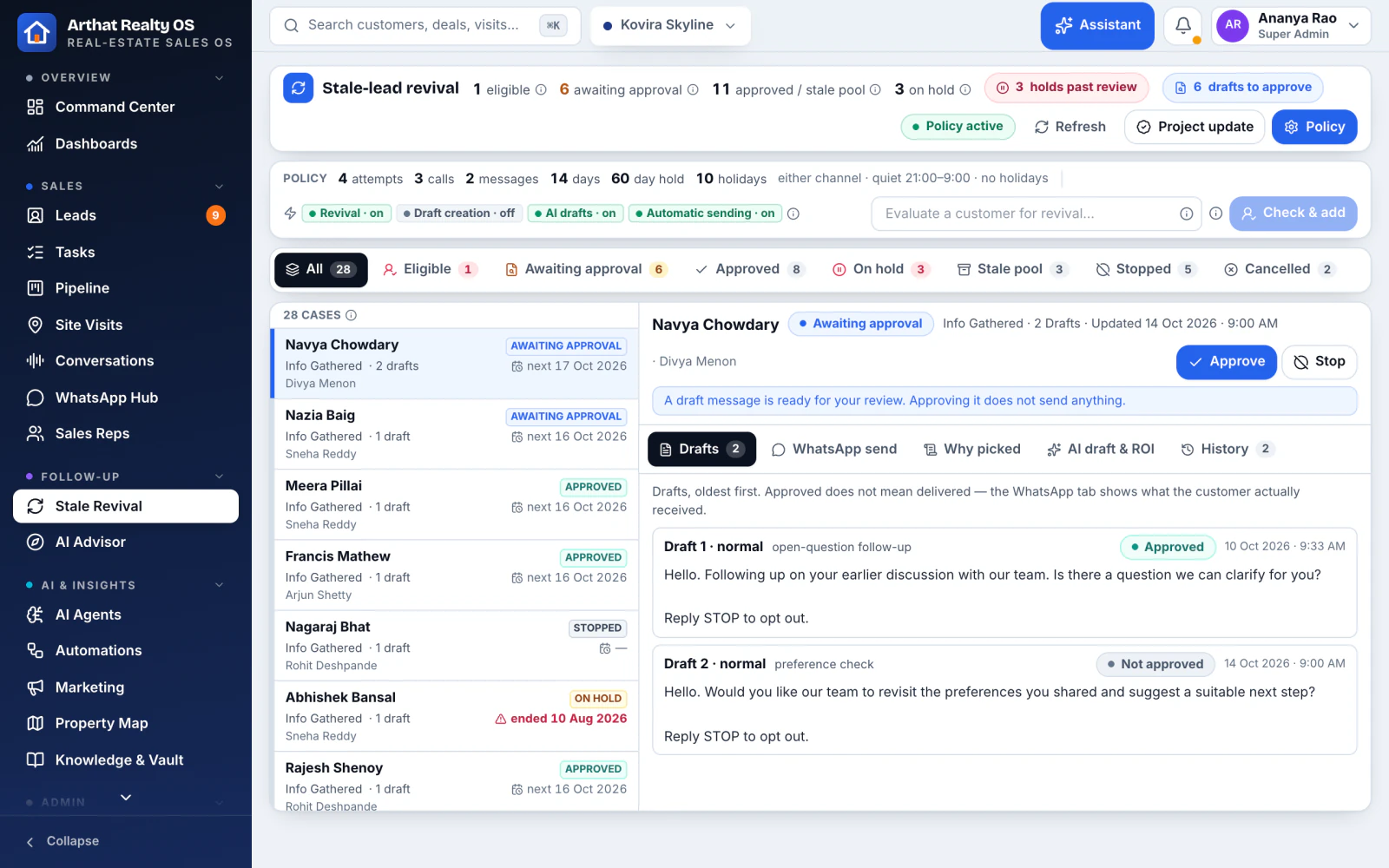
Finds leads that went quiet, such as no response or dropped after a visit, and drafts the right message for a rep to approve.
Owner rotation after unanswered calls, if you choose
Nothing sent without consent
Works across your whole archive
05 / 06AI agents
See what every AI agent did, and why In Realty OS
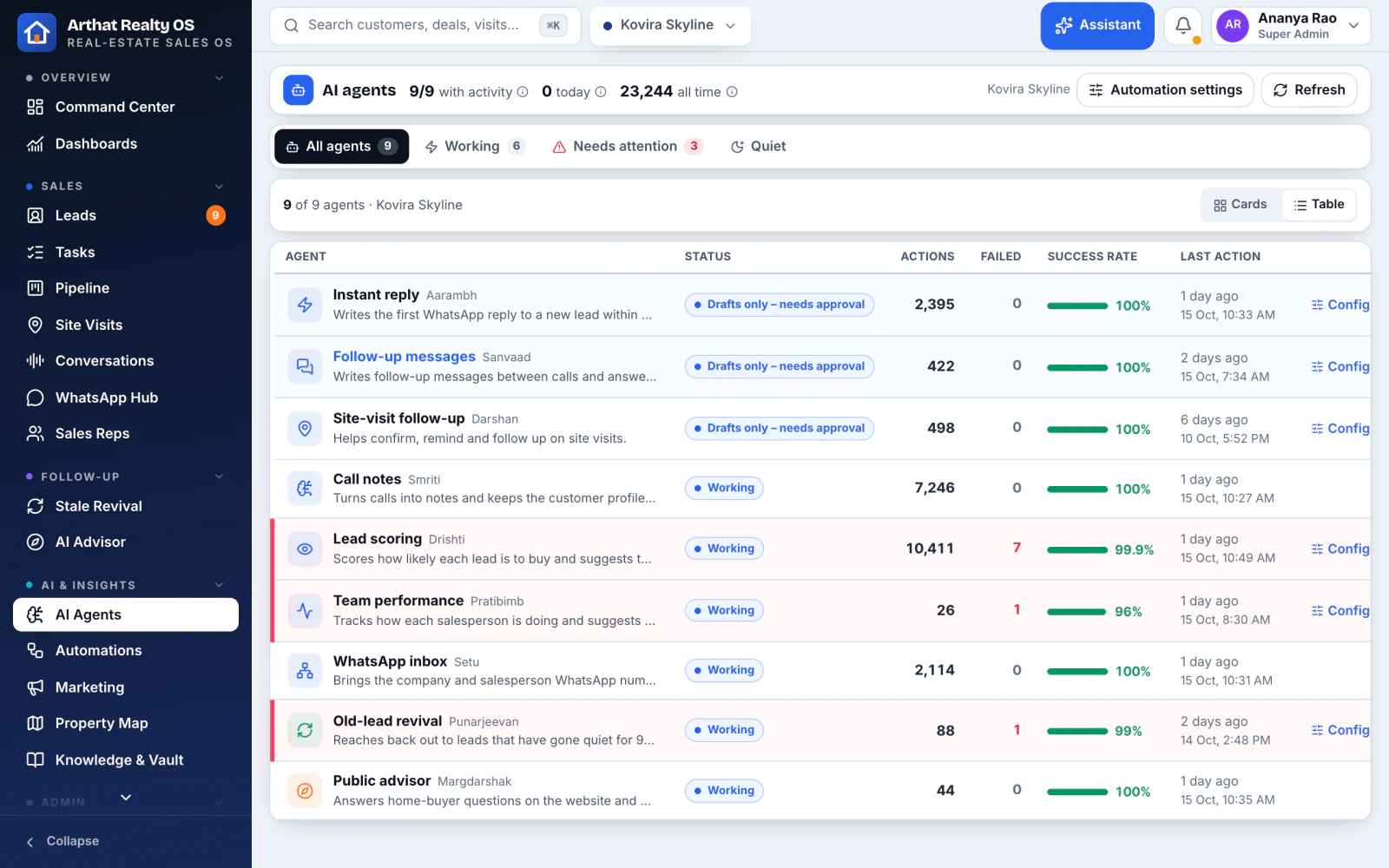
One page that shows each AI agent's actions with the reason behind them, so nothing happens out of sight.
Every AI action in the activity log
Confirm-before-write on changes
Turn agents on or off per team
06 / 06Claude and ChatGPT
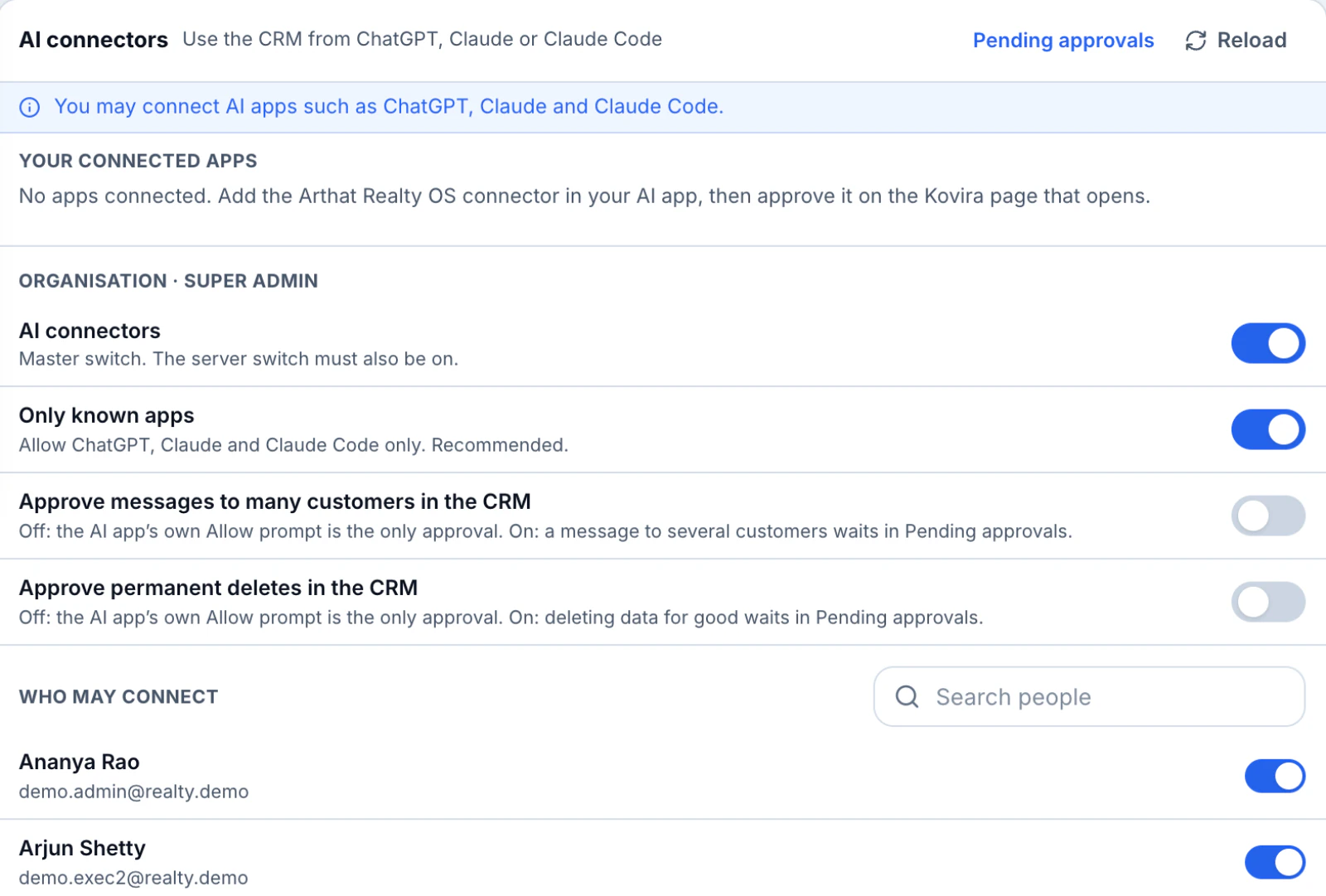
Use Claude or ChatGPT with your CRM In Realty OS
Connect Claude, ChatGPT or another MCP-ready AI app. Each person approves the connection, and every call runs under that person's permissions.
An explicit consent screen comes first
Every connector call is logged
Admins choose who may connect
Automation
The repetitive work, running on its own
Rules and journeys run in Realty OS today. On top, we build a visual workflow studio and an AI voice caller for your team.
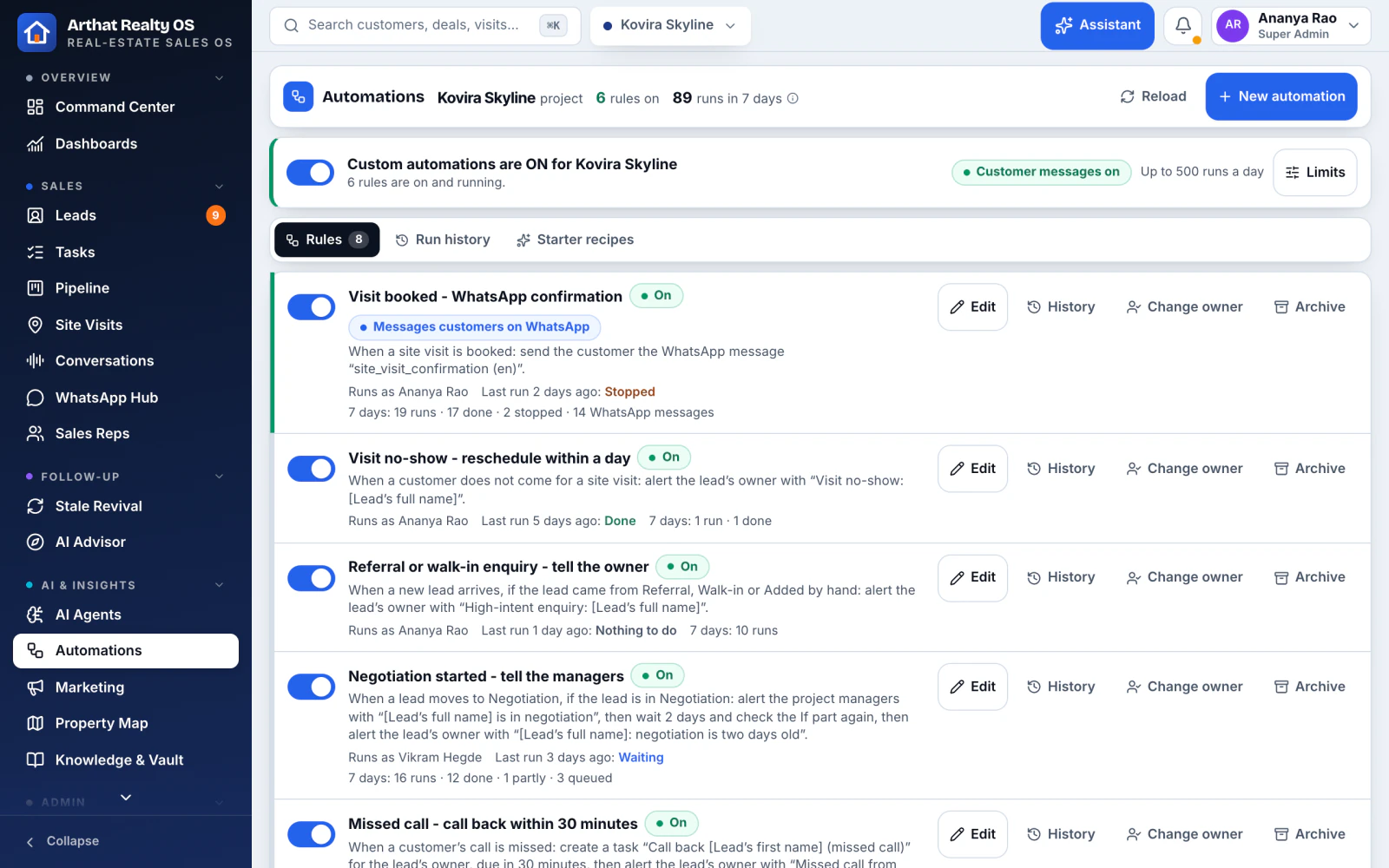
01 / 03Rules and journeys
When this happens, do that In Realty OS
No-code rules (when, if, then), nurture journeys that stop when the buyer replies, routing by campaign or language, and alerts on targets.
Daily limits and circuit breakers
Birthdays, anniversaries and booking wishes
WhatsApp steps inside any rule
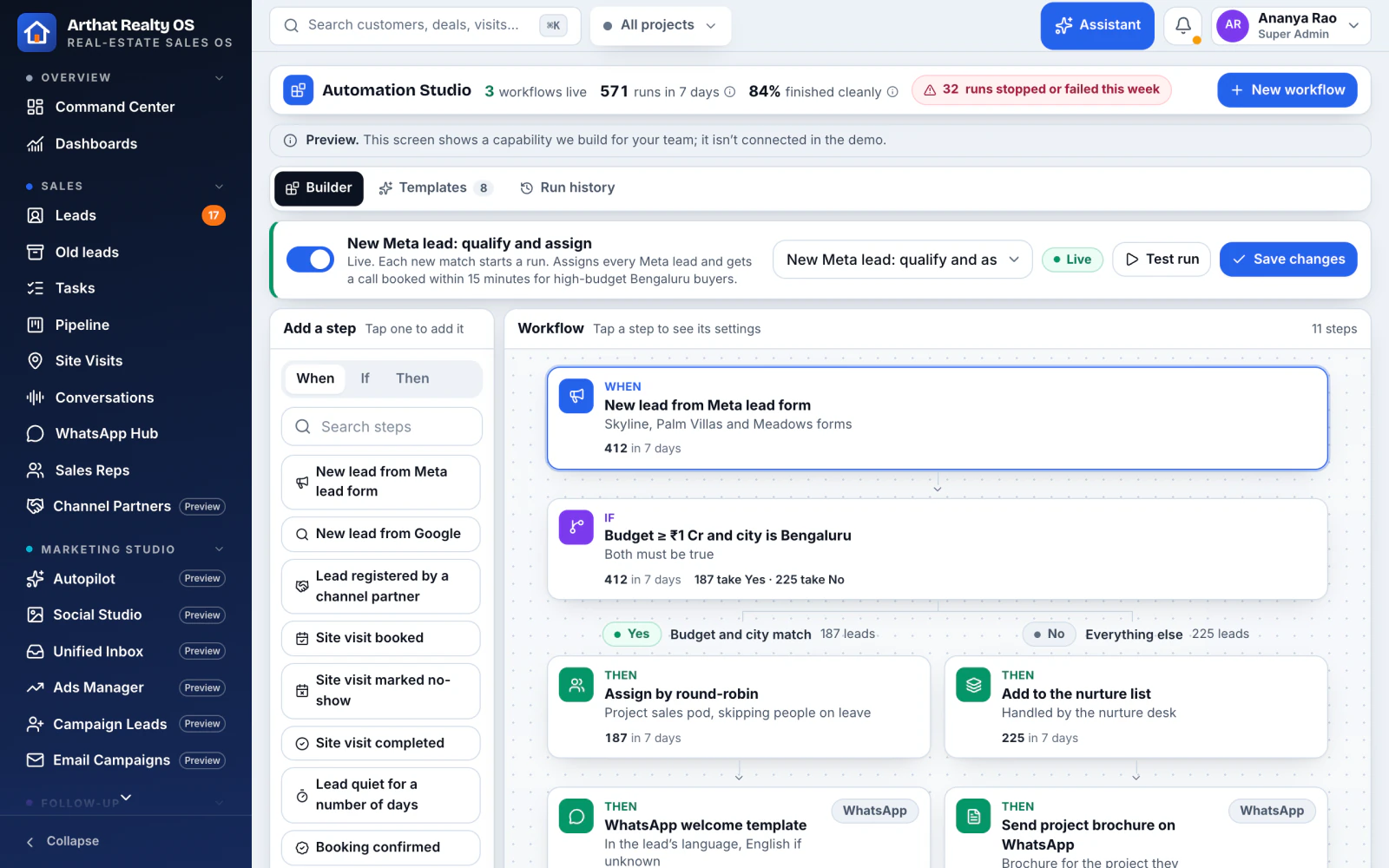
02 / 03Automation Studio
A visual workflow studio Built for you
We build a drag-and-drop workflow builder with ready templates for real-estate sales, and the history of every run.
Site-visit no-show recovery and post-visit feedback
NRI time-zone follow-ups and price-drop alerts
Booking paperwork chain and partner lead dedupe
Preview screen from the Realty OS demo, with demo data
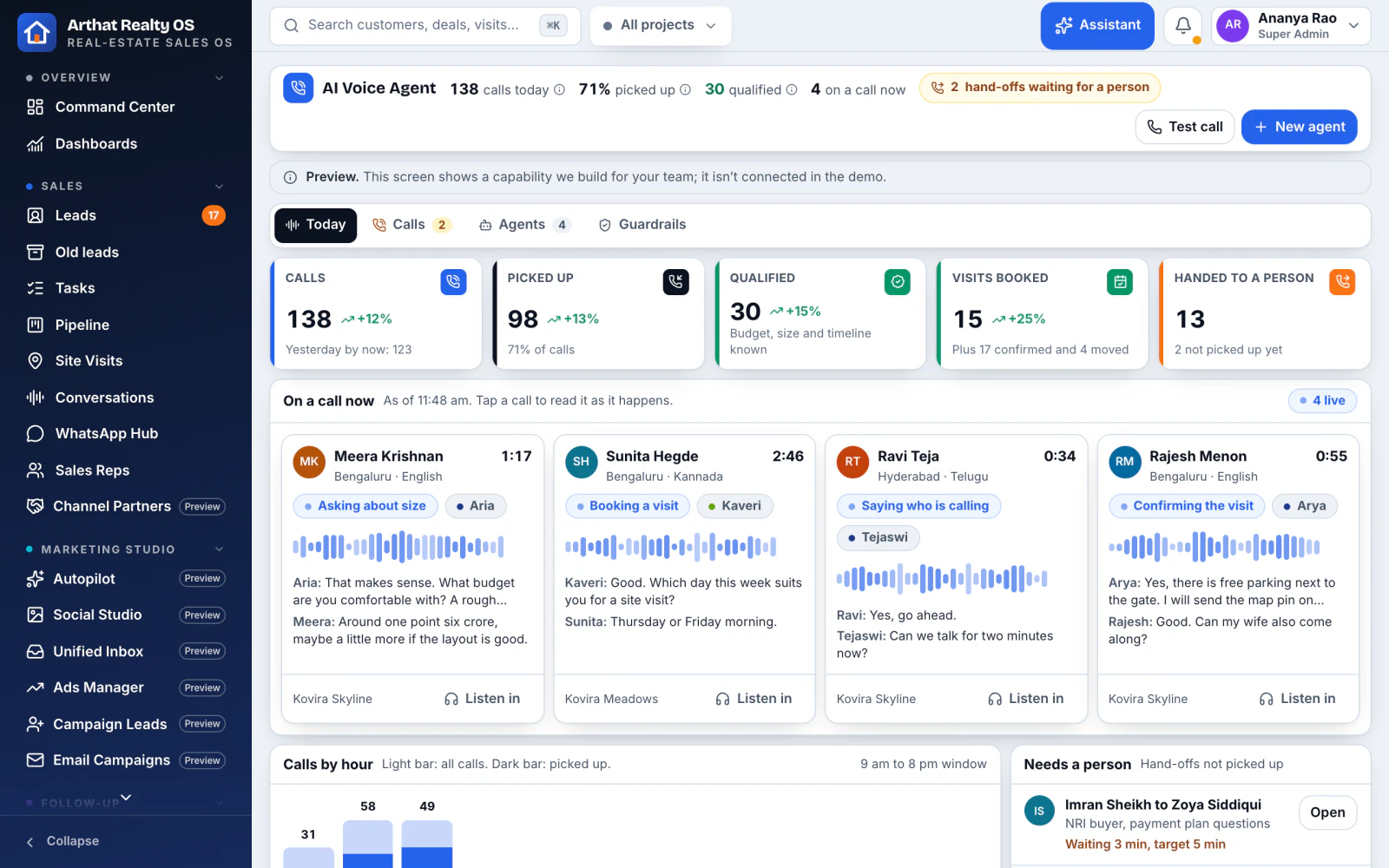
03 / 03AI Voice Agent
An AI caller for every new lead Built for you
We build an AI caller that qualifies new leads and confirms site visits in English, Hindi, Kannada and Telugu, then hands over to a rep.
Respects DND, consent and calling hours
Transcript and summary on the lead
Hands over to a person mid-call
Preview screen from the Realty OS demo, with demo data
AI marketing studio
Run your marketing where the leads land
We build an AI marketing studio into your Realty OS: ads, social, inbox and email in the same app as your sales team. Marketing dashboards with spend, cost per lead and return already run today.
Built for you we build and switch it on during your setup
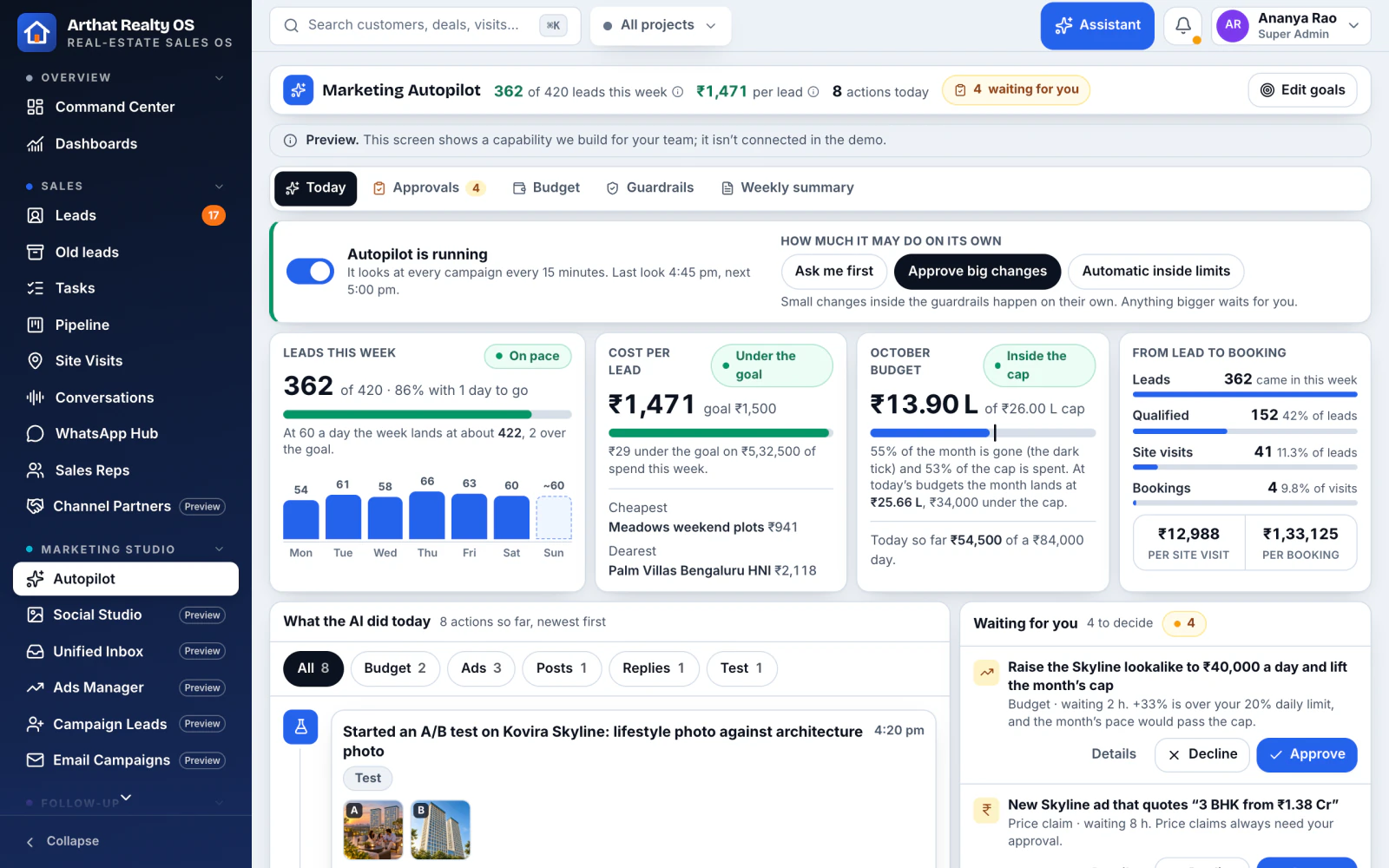
01 / 06Autopilot
Campaigns watched every day Built for you
The AI pauses expensive ad sets, moves budget to what works, starts A/B tests and writes a weekly summary, inside your caps.
Asks before larger changes
Budget pacing per project
A weekly summary in plain words
Preview screen from the Realty OS demo, with demo data
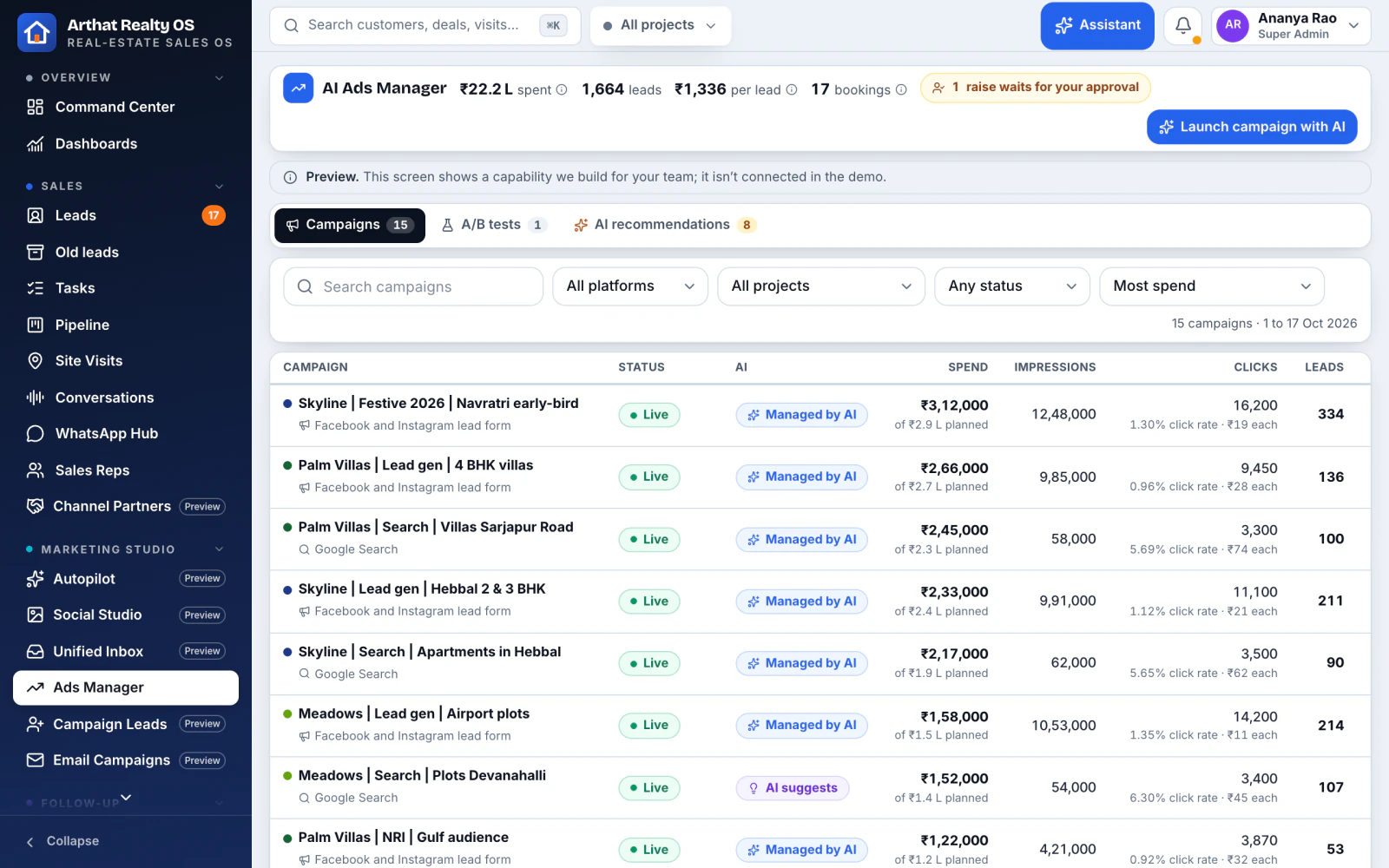
02 / 06Ads Manager
Meta and Google ads in one table Built for you
Facebook, Instagram, Google Search, Performance Max and YouTube per project, with spend, leads, cost per lead, site visits and bookings side by side.
Launch a campaign with AI
A/B creative tests
Cost per booking, not just per lead
Preview screen from the Realty OS demo, with demo data
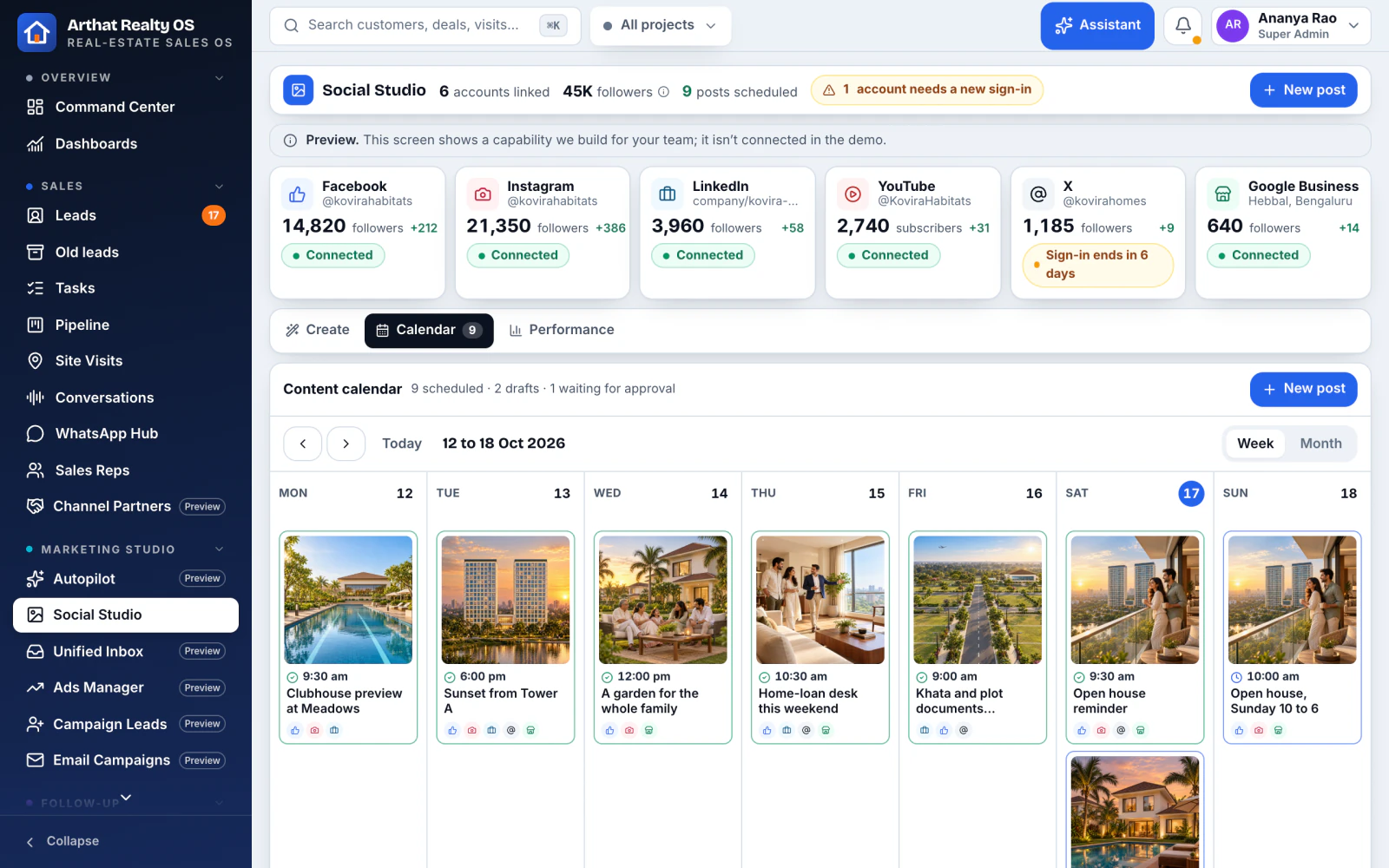
03 / 06Social Studio
Write, design and post everywhere Built for you
The AI writes captions and creates images with previews for each platform. Publish to every page at once or schedule on a calendar.
Facebook, Instagram, LinkedIn, YouTube, X and Google Business Profile
A content calendar per project
Images made from your project photos
Preview screen from the Realty OS demo, with demo data
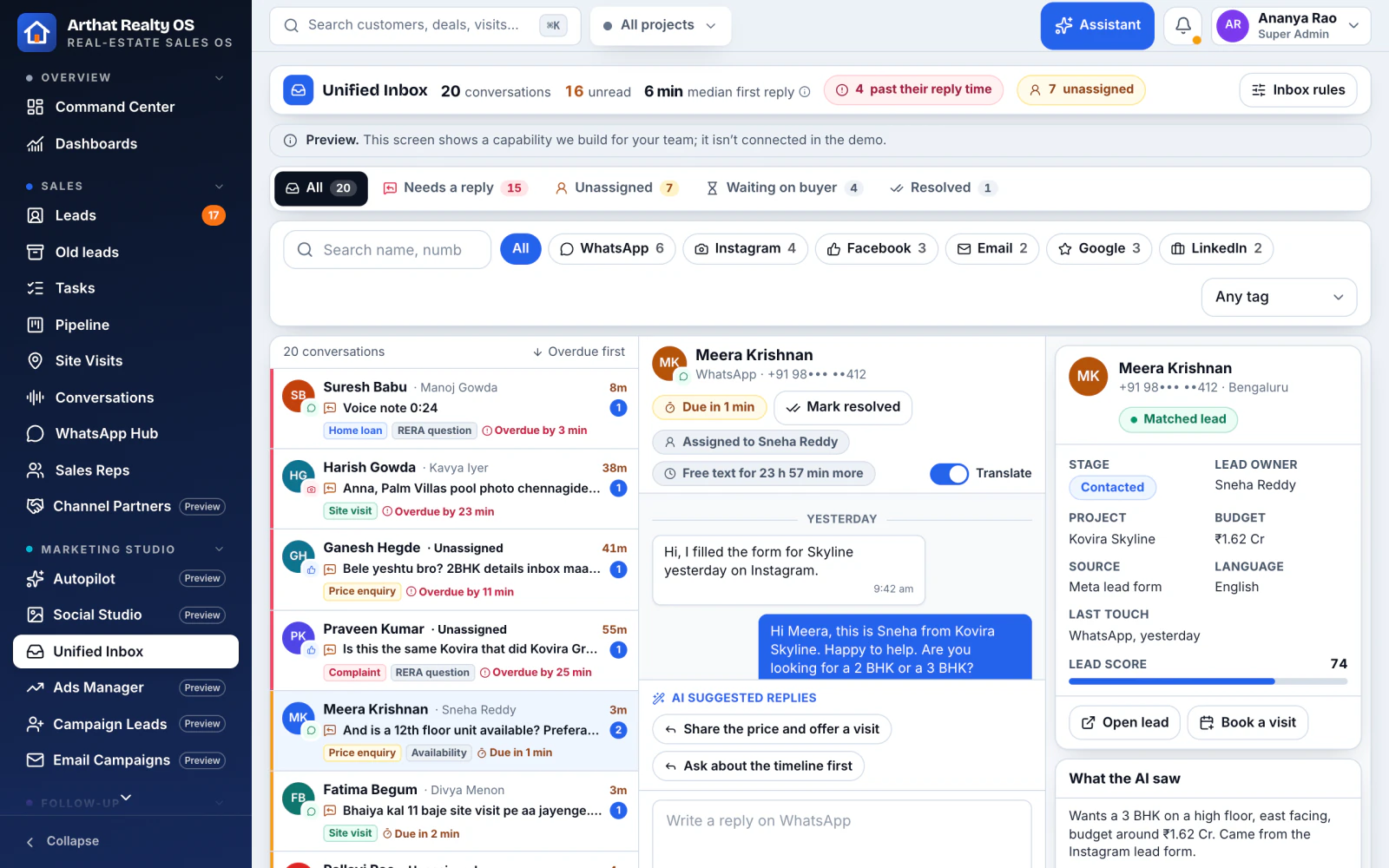
04 / 06Unified Inbox
Every DM, comment and review in one inbox Built for you
Instagram DMs, Facebook comments, WhatsApp, email, Google reviews and LinkedIn, matched to the lead, with AI-suggested replies.
Assign any message to a rep
Matched to the buyer's record
Suggested replies in the buyer's language
Preview screen from the Realty OS demo, with demo data
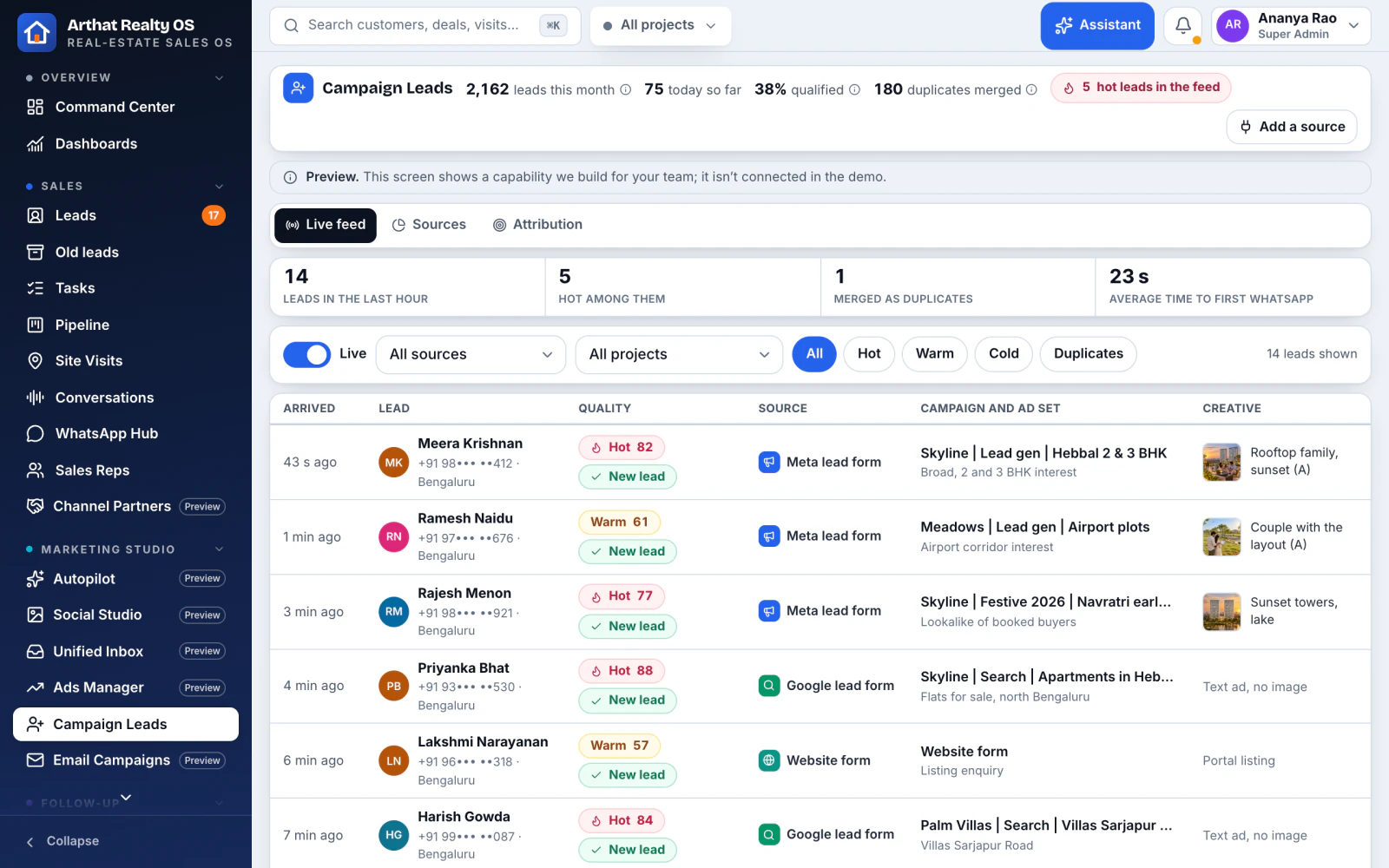
05 / 06Campaign Leads
From ad click to booking Built for you
A live feed of leads from every campaign, form and portal, with attribution through to visits, bookings and cost per booking.
Portal leads from 99acres, MagicBricks and Housing
Attribution to site visits and bookings
Duplicate check on every lead
Preview screen from the Realty OS demo, with demo data
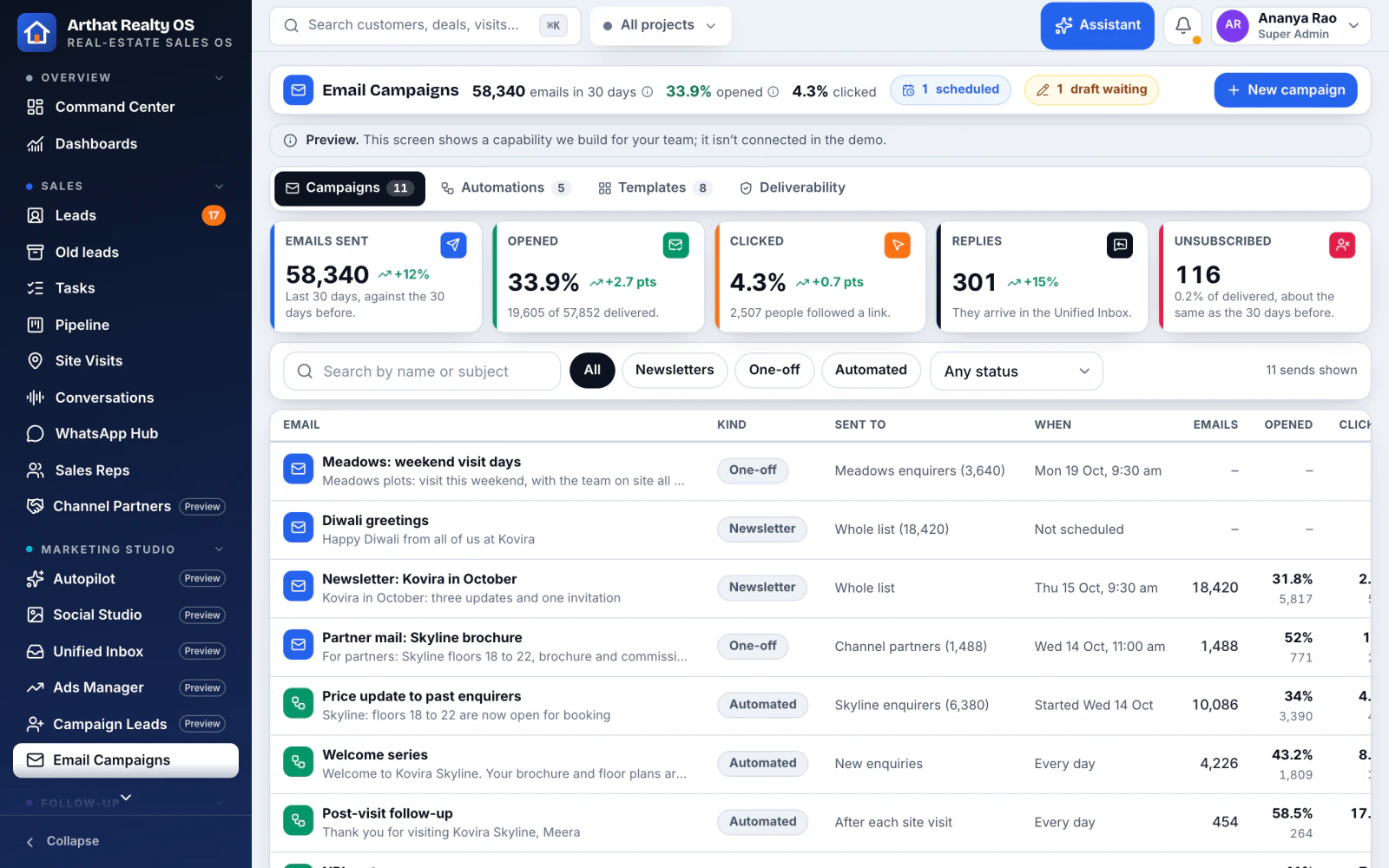
06 / 06Email Campaigns
Newsletters and sequences that stay relevant Built for you
Welcome, post-visit, NRI nurture, price update and possession update sequences, with open and click tracking.
Segments by project, budget and stage
Stops when the buyer replies
Opt-outs respected
Preview screen from the Realty OS demo, with demo data
After the booking
From booking to keys, without the chase
We build the post-sales work into the same system, so the buyer, the collections team and the site team see the same facts.
Built for you we build and switch it on during your setup
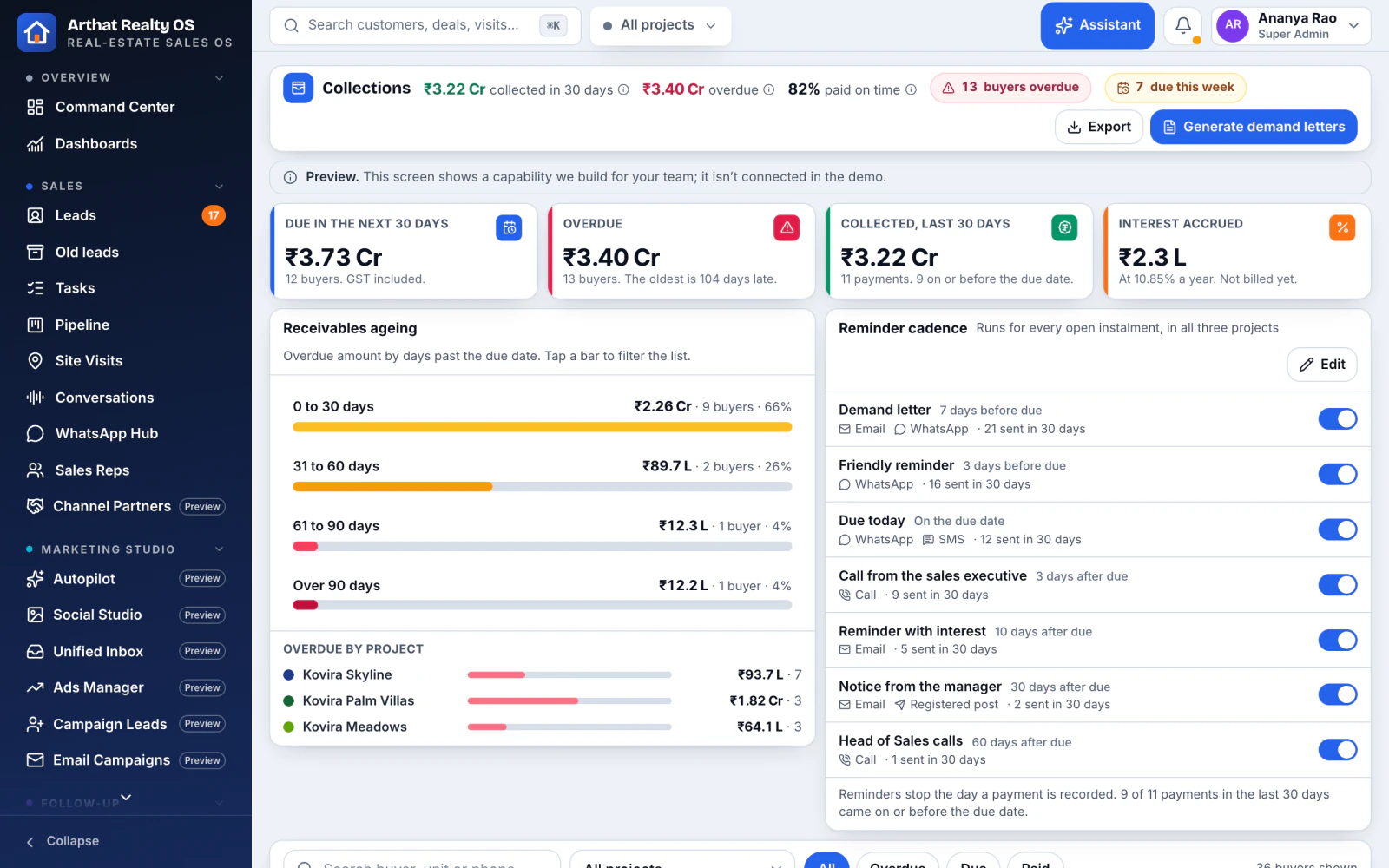
01 / 05Collections
Payments collected on time Built for you
Payment milestones, receivables ageing, demand letters on your letterhead and an automatic reminder cadence.
Ageing by project and tower
Demand letters from templates
Reminders by WhatsApp and email
Preview screen from the Realty OS demo, with demo data
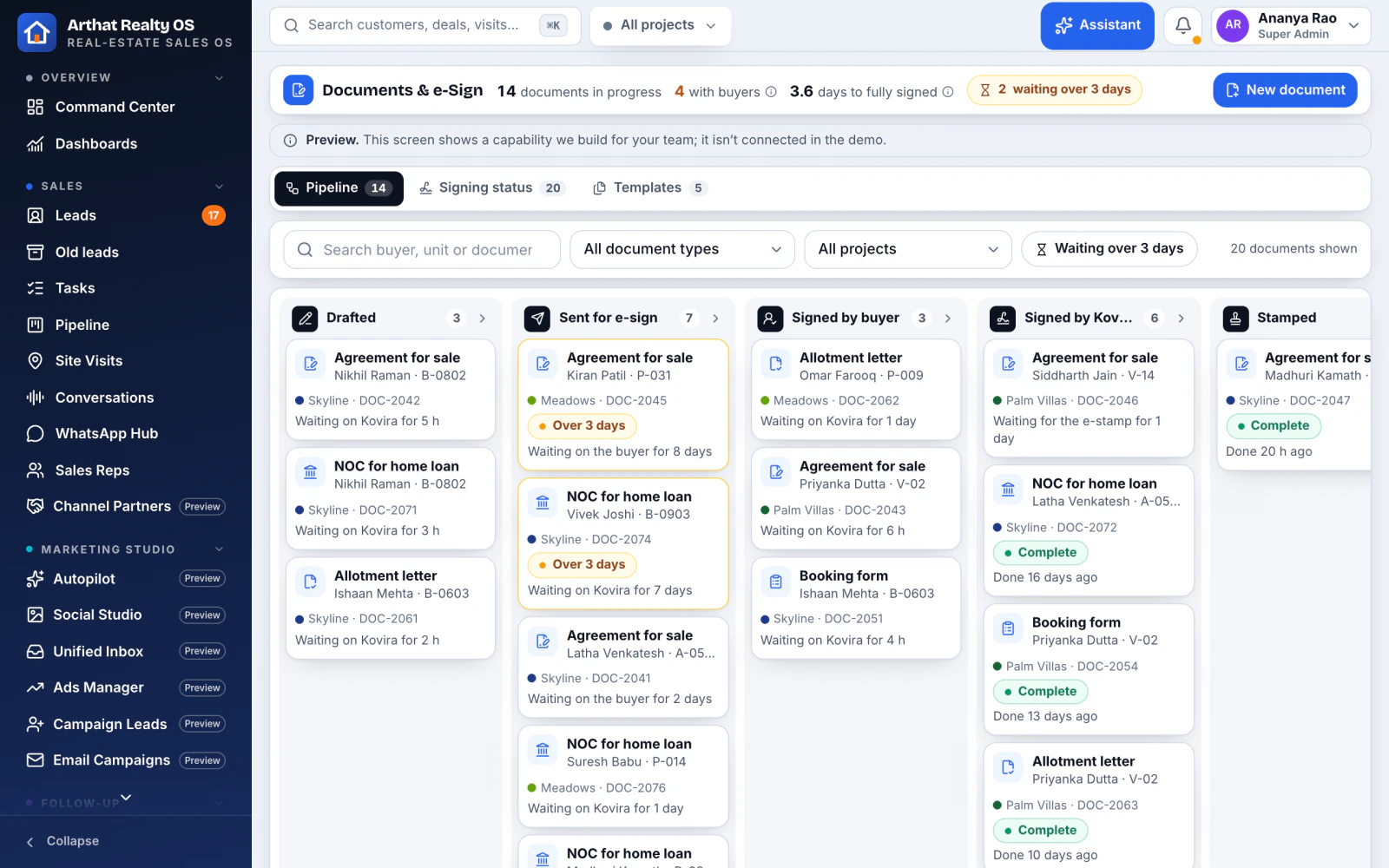
02 / 05Documents and e-Sign
Paperwork from your templates Built for you
Booking forms, allotment letters, agreements for sale and NOCs generated from your templates, with signing status.
Aadhaar e-sign and DSC
Every document on the buyer's record
Legal review before sending
Preview screen from the Realty OS demo, with demo data
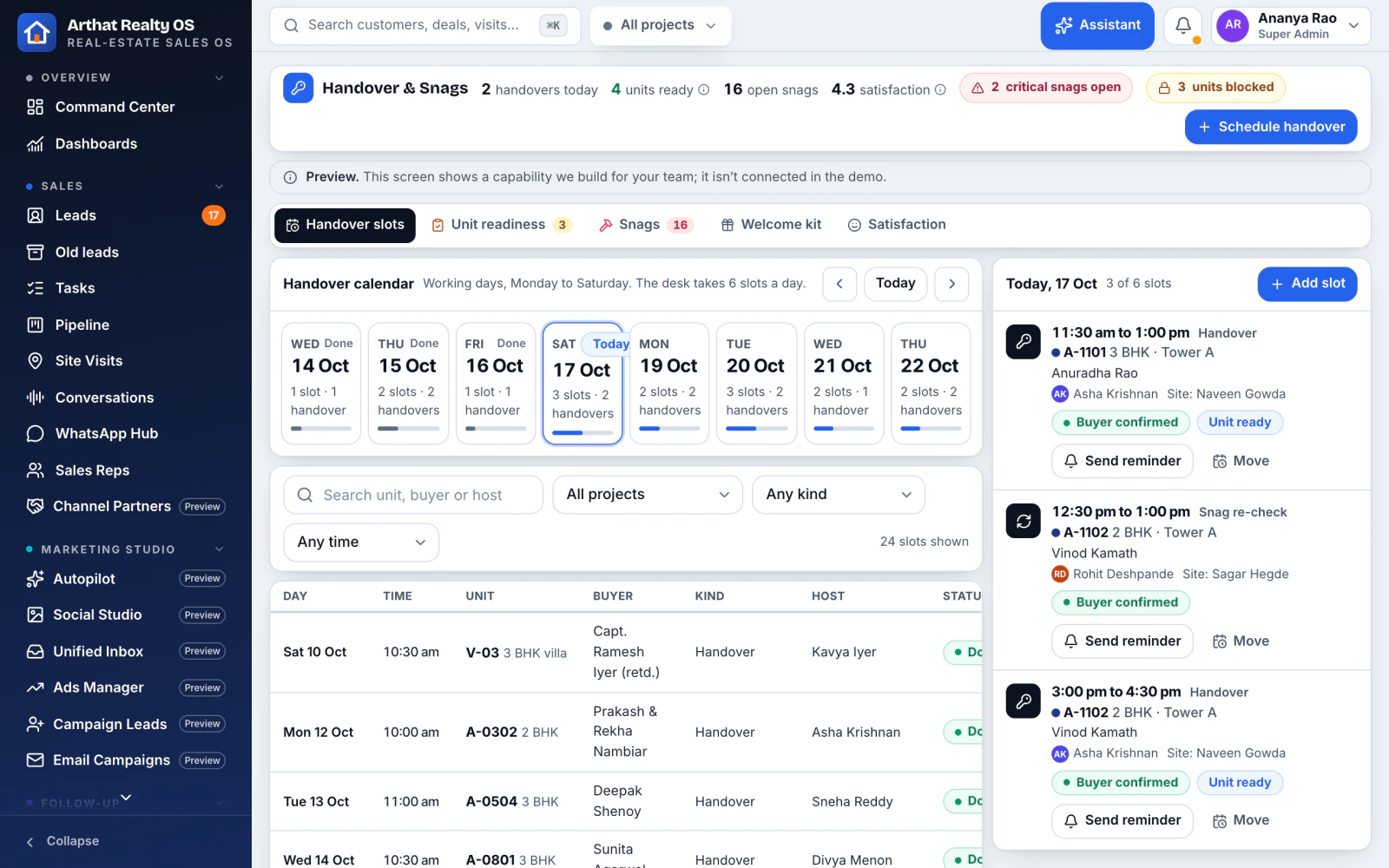
03 / 05Handover and snags
A handover the buyer remembers well Built for you
Possession slots, a readiness checklist, a snag list per unit with contractor and status, and satisfaction after handover.
Snags tracked to closure
Possession slots the buyer books
Feedback after the keys
Preview screen from the Realty OS demo, with demo data
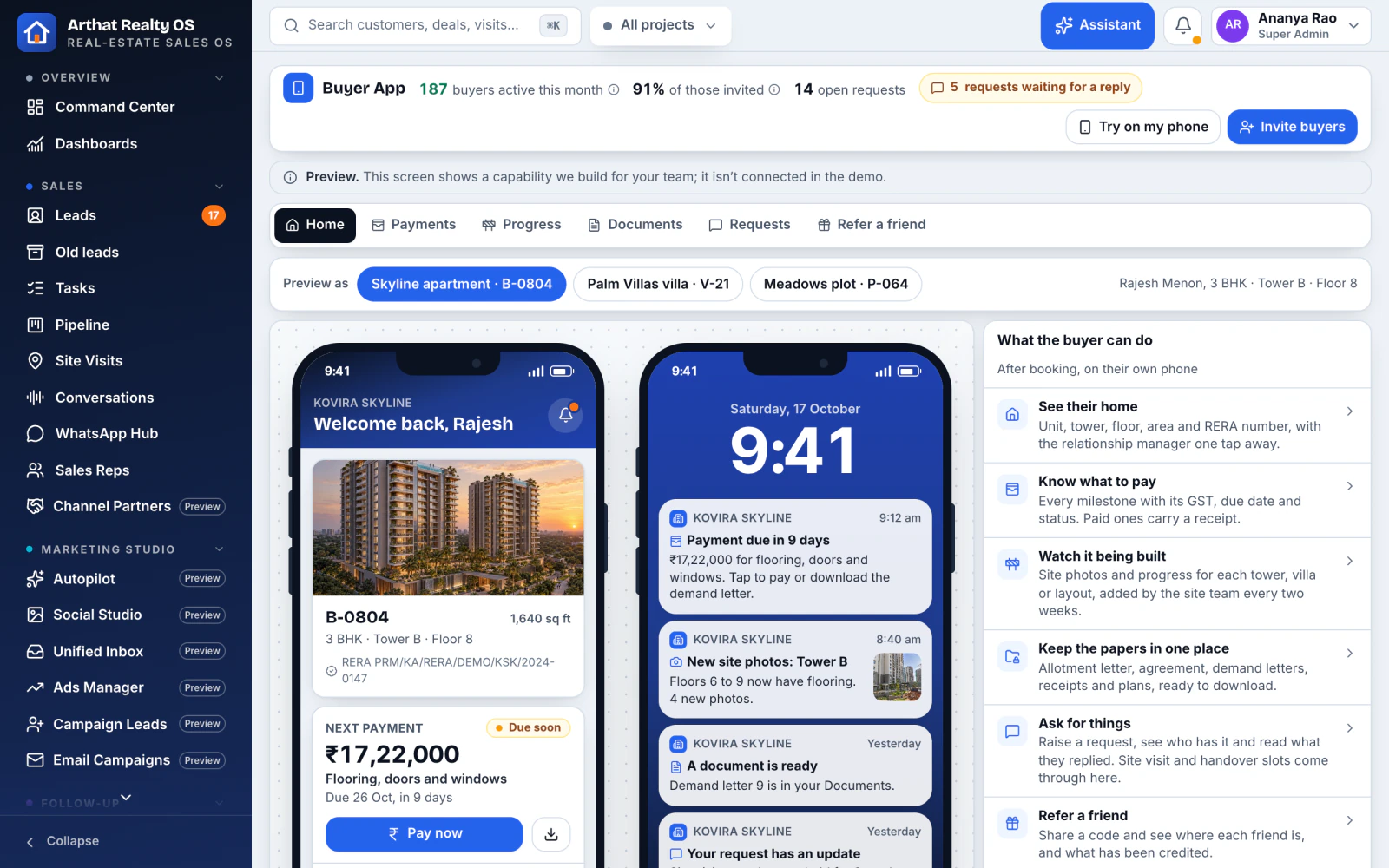
04 / 05Buyer App
An app for your buyers Built for you
Unit details, the payment schedule, construction progress photos, documents, requests and referrals in the buyer's own app.
Construction updates with photos
Payment schedule and receipts
Referrals straight into your leads
Preview screen from the Realty OS demo, with demo data
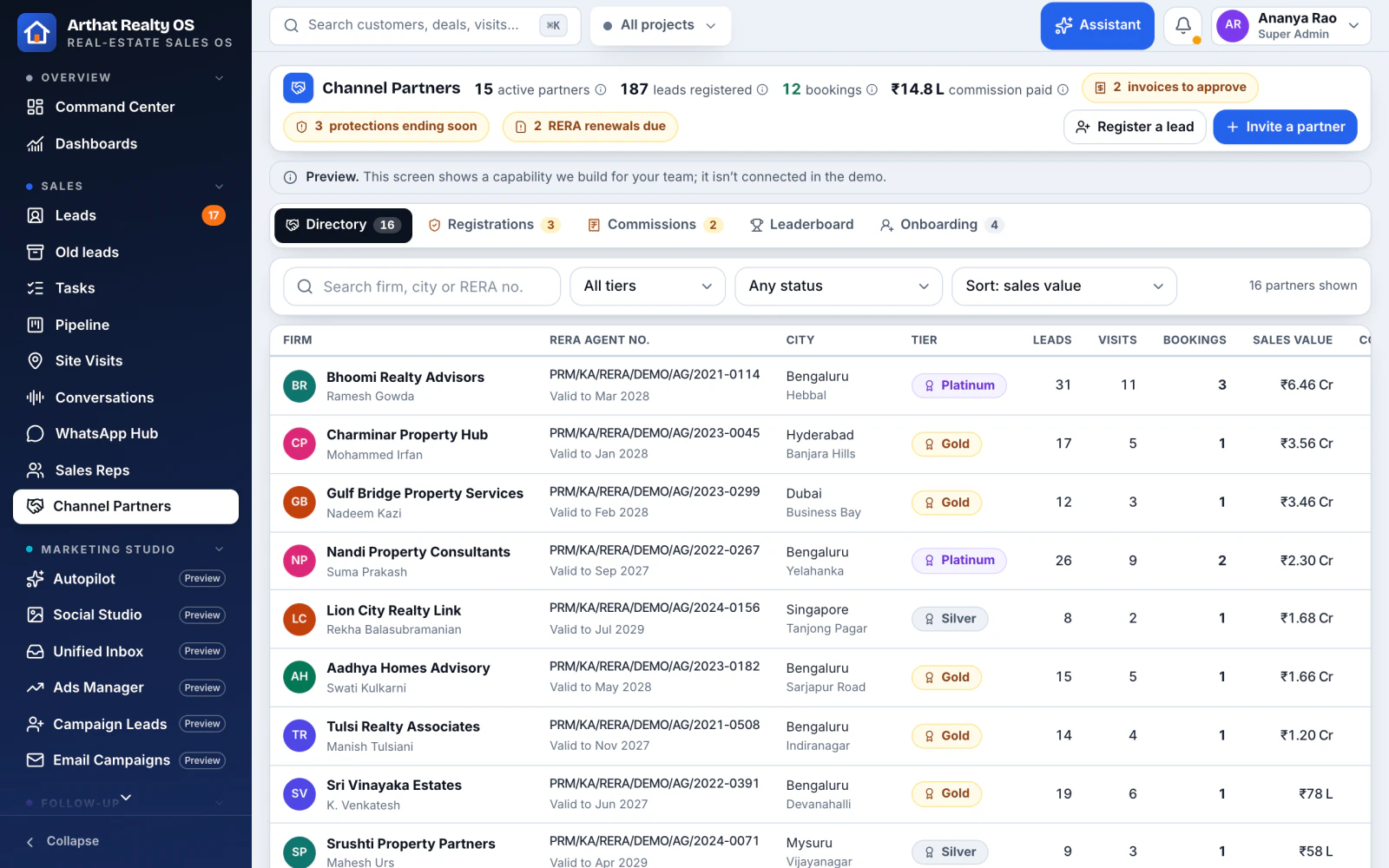
05 / 05Channel Partners
Brokers, without the disputes Built for you
A broker directory, lead registration with duplicate protection, a commission ledger and a partner leaderboard.
Who registered the buyer first, on record
Commissions tracked per booking
A leaderboard for partners
Preview screen from the Realty OS demo, with demo data
Run the business
See the whole business at a glance
Owners, sales heads and managers each get their own view, from today's work to this quarter's targets.
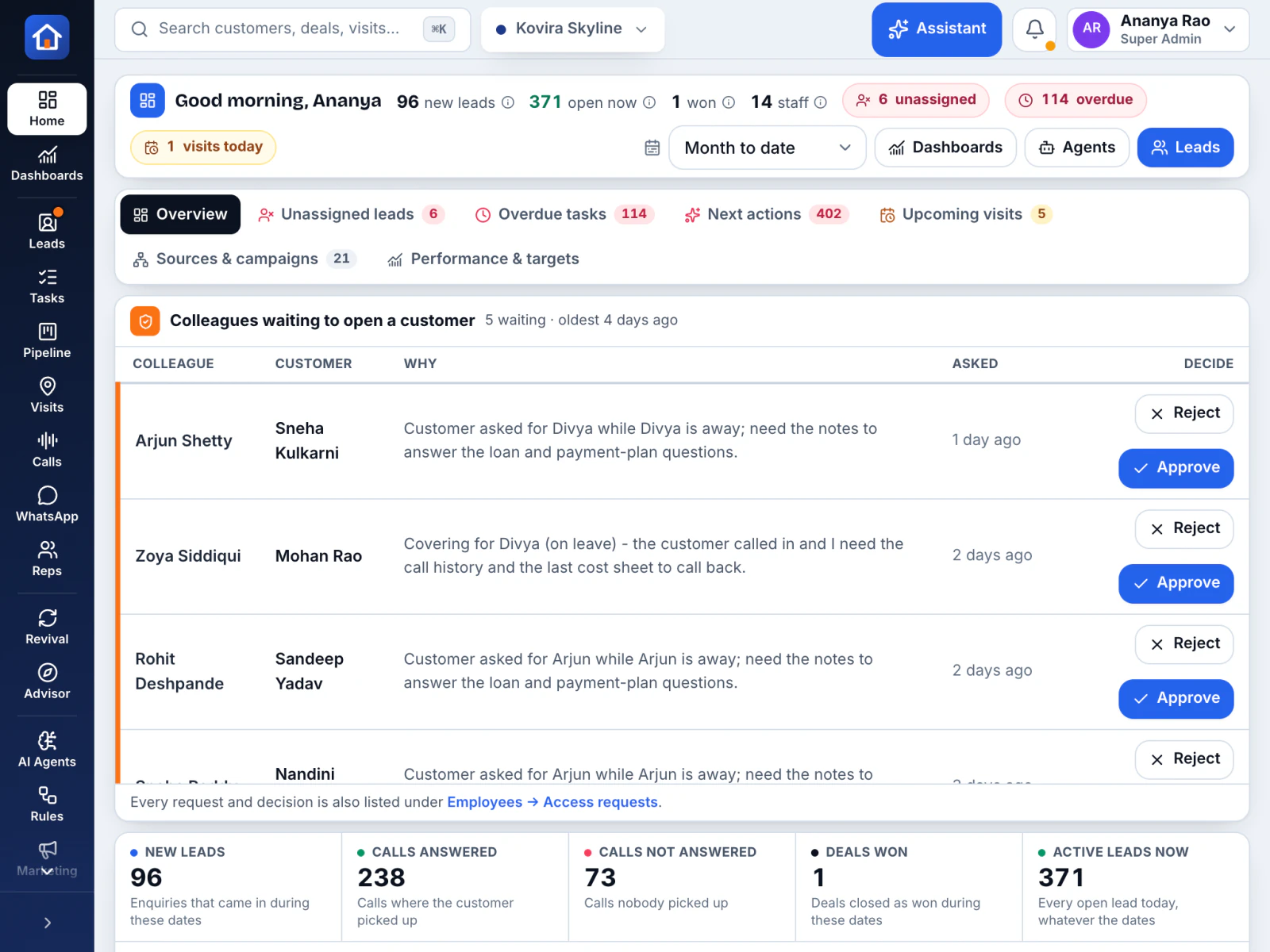
01 / 04Command Center
The day at a glance In Realty OS
New leads, unassigned and overdue work, visits, and deals won and lost, on one screen.
Admin, sales head, manager, rep and marketing views
Tap through to the work behind every number
Built for a tablet
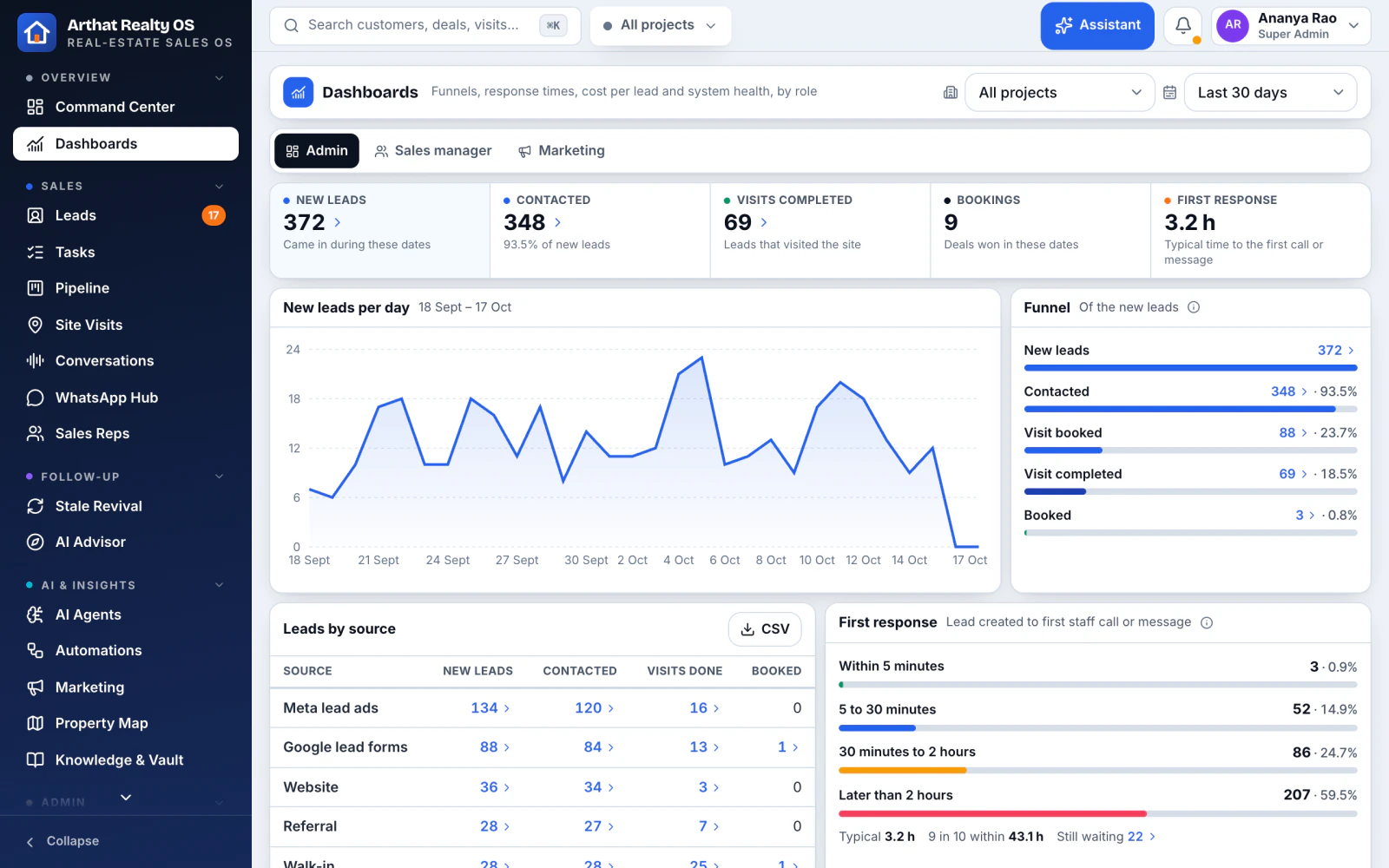
02 / 04Dashboards
Every project, side by side In Realty OS
Projects at a glance with open-lead age, leads by project and source, and ad spend as cost per lead.
"This quarter" and "All time" presets
Return by campaign
Exports to Excel
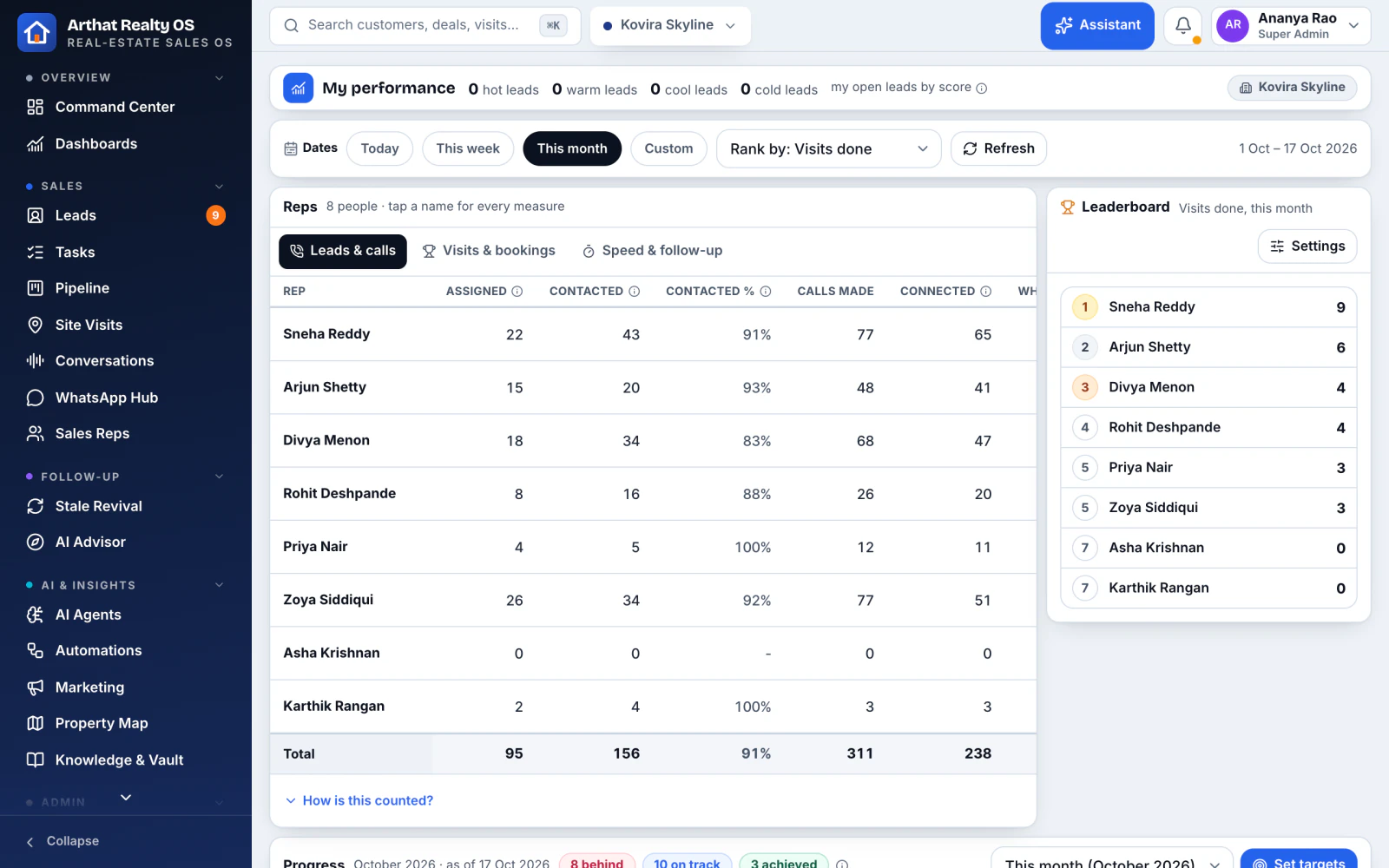
03 / 04Targets
Targets the team can see In Realty OS
One form sets leads, visits, bookings and booking value. A leaderboard congratulates the team at 100%.
My performance for every rep
Weekly manager packs
Abort and wastage reviews
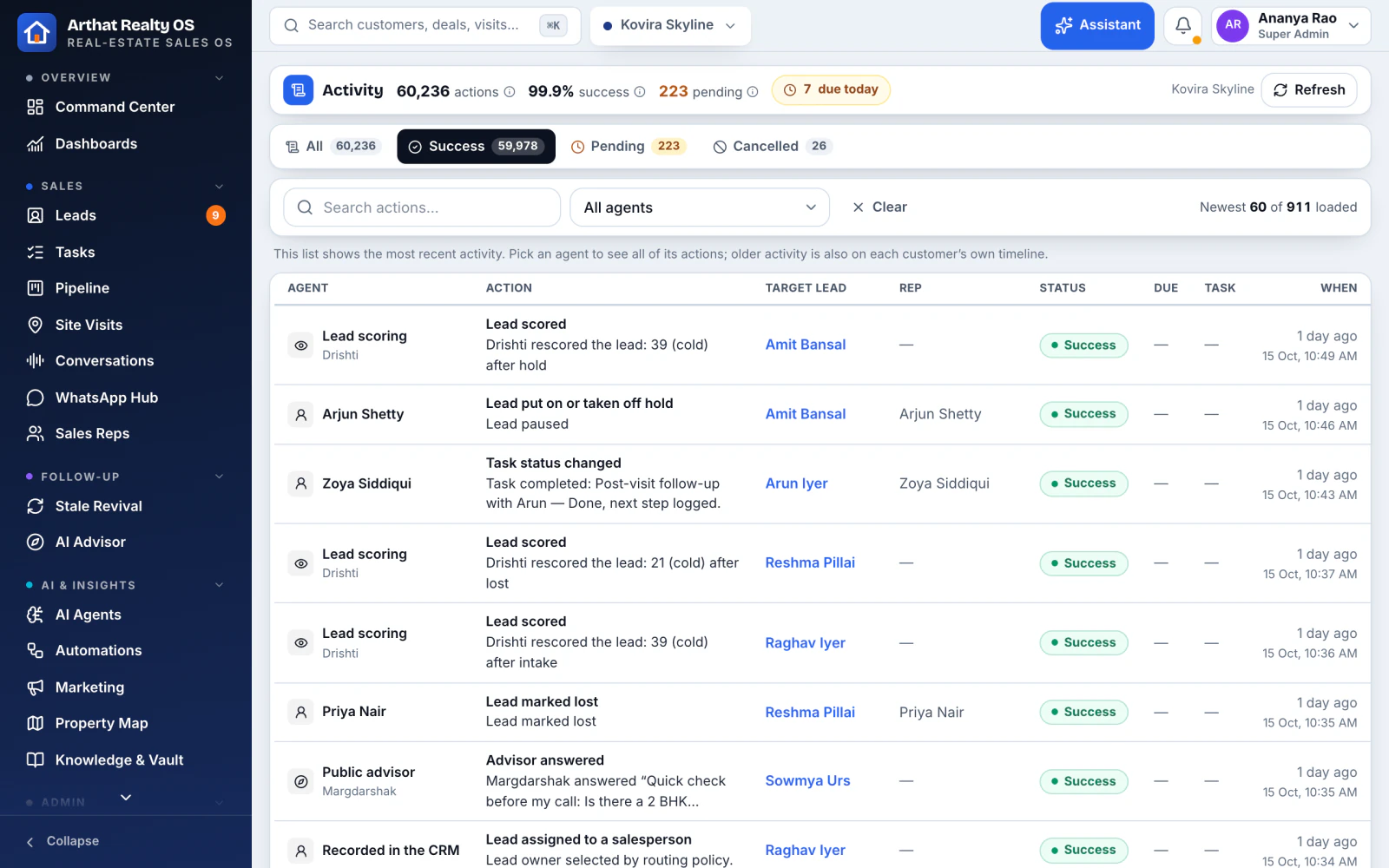
04 / 04Activity log
Who did what, and why In Realty OS
Every change and every AI action, with who did it and the reason.
Tasks-today report per person
Rejected requests logged
Every AI connector call logged
Your team
Your sales team and HR, in the same system
Attendance, leave and payroll sit next to leads, calls, visits and bookings, so performance and people are seen together.
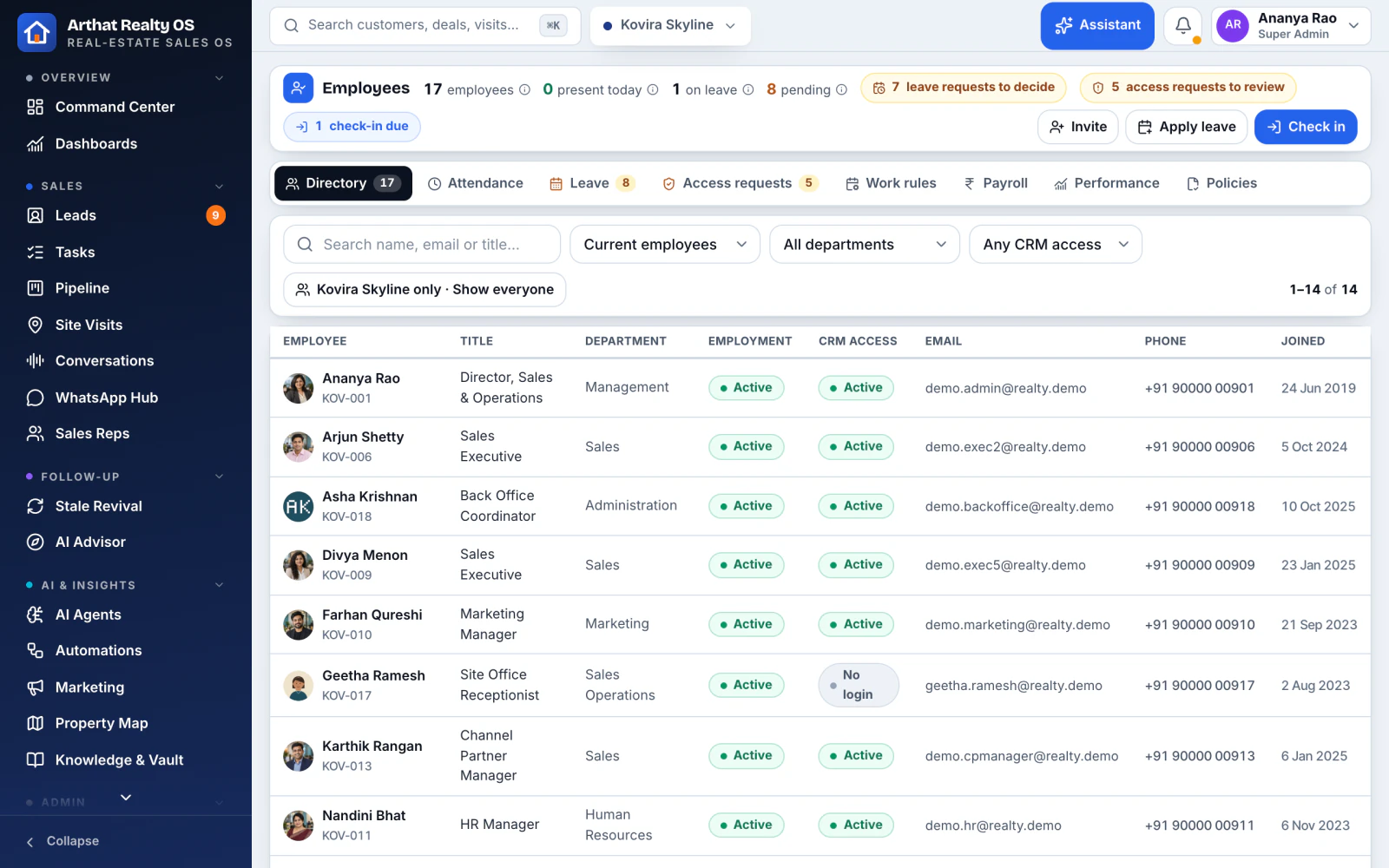
01 / 02People and attendance
A team view that matches the work In Realty OS
An employee directory with check-in and check-out, late marks and leave, plus each person's leads, calls, visits and bookings.
Check-in with a photo from the tablet camera
Leave stops new leads automatically
Payroll, payslips, reviews and plans
02 / 02Roles and handover
The right access for every role In Realty OS
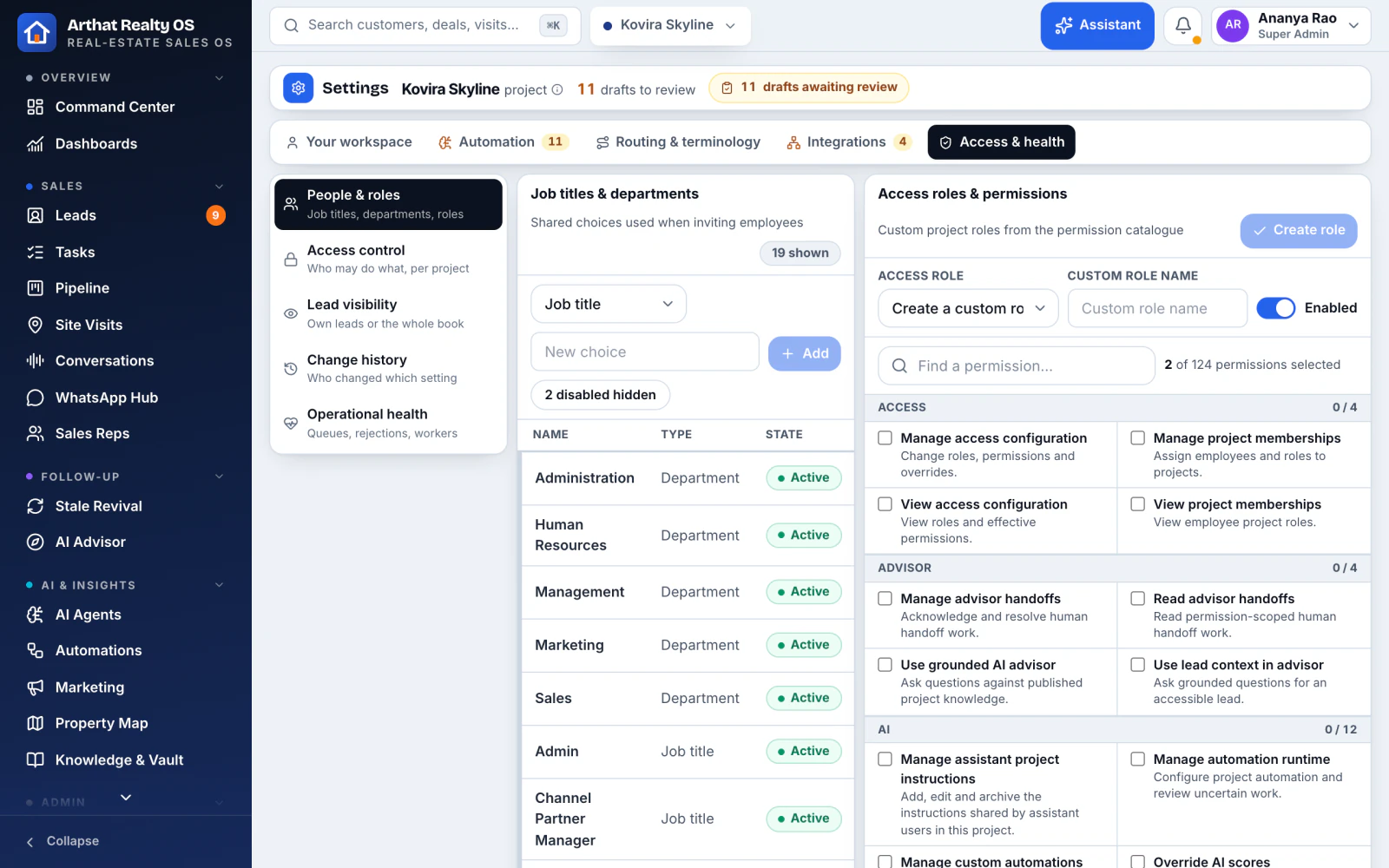
Custom roles, permission overrides, teams and project memberships, with a clean lead handover when someone leaves.
A self-service joining form
Birthdays and work anniversaries
Per-person "receive leads" switch
Security and control
Security, privacy and control
Realty OS began as the CRM we built for a Bengaluru real-estate developer. What their reps, managers and marketing team needed every day is now the product.
AArthat AIBengaluru · builds and supports Realty OS
Your own server
Your own deployment and database, never shared with another company.
Access by role and project
Row-level security on every table, so each person sees only their projects and leads.
2-step sign-in
Optional authenticator or email codes, with session controls.
Every change logged
An audit trail of every change and AI action, rejected requests and AI connector calls.
Ready for India's DPDP Act
A consent ledger, data-rights requests, a retention schedule and a public privacy notice.
Off until you switch it on
Every integration and AI feature is off until it is set up, tested and given a budget.
Integrations
Works with the tools your team already uses
Each one is switched on for your company once your accounts exist and it has been tested.
In Realty OS
WhatsApp Business
Meta lead forms
Google lead forms
Google Workspace
Google Calendar
Google Maps
OpenStreetMap
Claude
OpenAI and ChatGPT
Cloud telephony
Website and API webhooks
Excel and Sheets import
Built for you
Facebook
Instagram
Google Ads
YouTube
X
Threads
LinkedIn
Google Business Profile
99acres, MagicBricks, Housing
Aadhaar e-sign and DSC
How it works
From demo to go-live, with us alongside
We set Realty OS up with you, build the AI you choose, train your team and stay on for support.
1
See it
A 30-minute walkthrough with a fictional developer's projects, shaped around how your team sells.
2
Plan it
We map your sales process and agree which stages AI should run, and with what limits.
3
Set it up
We load your projects, team and leads, connect your channels and build your automations.
4
Go live
Your team is trained on tablets and phones, and we stay on for support and changes.
Pricing depends on your projects, team size and channels. You get a fixed quote after the free 30-minute call.
Features marked "In Realty OS" work in the product today: the CRM, lead capture, enrichment, scoring and assignment, call summaries and WhatsApp hand-off. Features marked "Built for you", like AI voice calls, ad management and creative generation, we build and switch on for your team as part of your setup.
Who is Realty OS for?
Developers and their sales teams selling apartments, villas or plots, whether that's one project or several at once.
Does it work on tablets and phones?
Yes. It was designed for tablets on the sales floor and at site visits, and it runs in any modern browser. There is nothing to install.
Can we bring our existing leads?
Yes. We import them from Excel or CSV with consent details and duplicate checks, and connect your website and Google or Meta lead forms so new enquiries flow in on their own.
Which tools does it connect to?
Cloud telephony for click-to-call and recordings, WhatsApp Business, email, Google Calendar and Workspace, and Google and Meta lead forms and ad spend. Each one is switched on only after it is set up and tested for you.
Can the AI change our data on its own?
Only within the limits you set. The assistant shows a plan and waits for a person to confirm it, and automations run with daily limits and approvals. Connected AI apps work under the signed-in person's own permissions, after they approve the connection.
Where is our data kept?
In your company's own Realty OS deployment and database. Access follows each person's role, and changes are recorded in an audit trail.
How does pricing work?
It depends on your projects, team size and the channels you need. After a free 30-minute call we send you a fixed quote.
See your pipeline run itself
Book a 30-minute demo. We'll walk through Realty OS with demo data and map where AI can take work off your team.